Page 1 of 1

JUL 22 2025
Author: lucaswilkins Original

Modernising a Leitz Phase Contrast Microscope

High on the list of world changing, Nobel prize winning inventions that nobody has heard of is the phase contrast microscope. This microscope uses some tricks that exploit changes in refractive index within a sample, allowing you to see details of cells that you generally can’t see without staining. The problem with staining cells is that it kills whatever you apply it to. Phase contrast microscopy made it possible to observe processes in living cells and improved our understanding of cell biology. In general, a phase contrast microscope gives you a much better image if you just want to look at really small biological things.

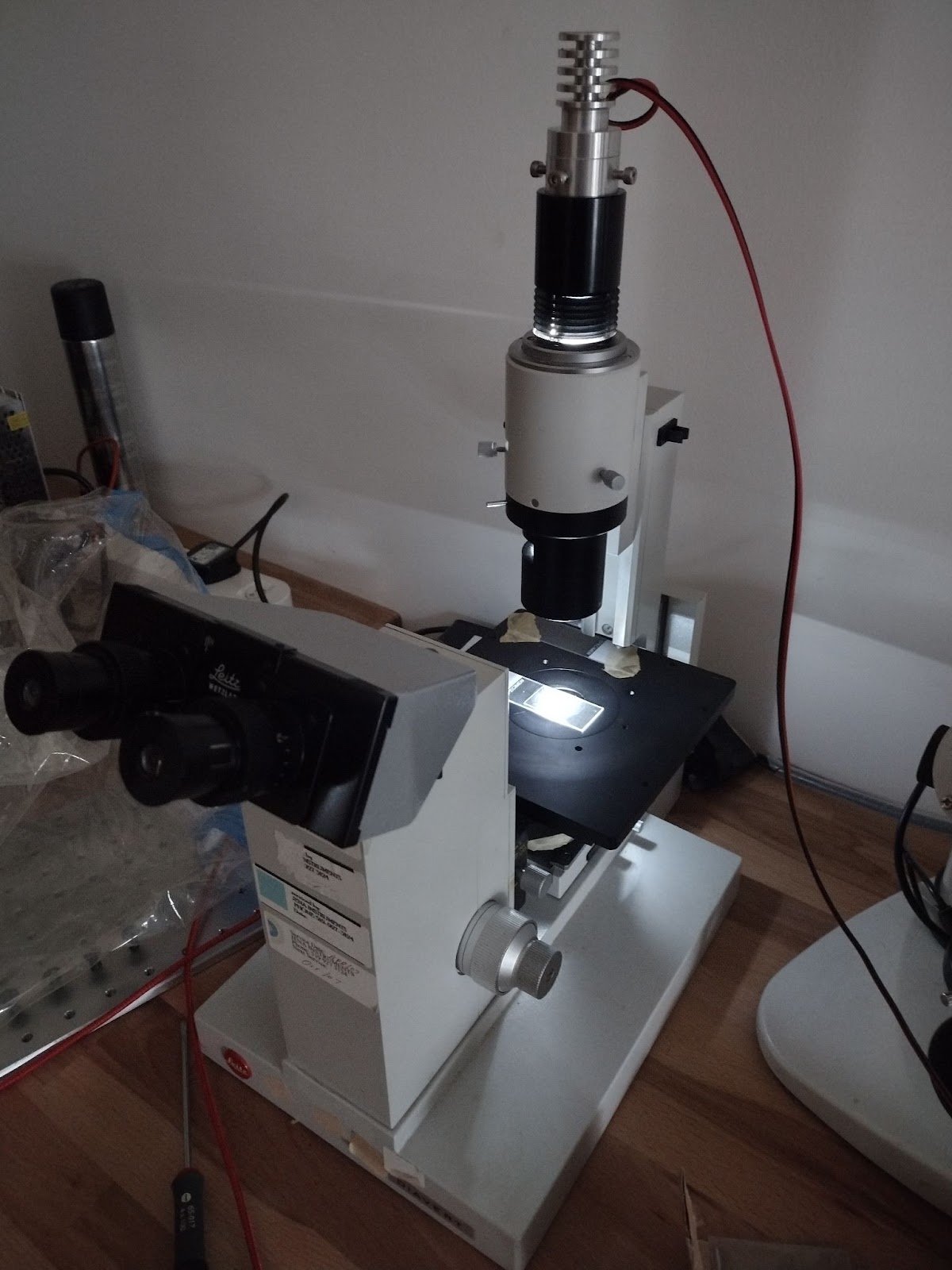
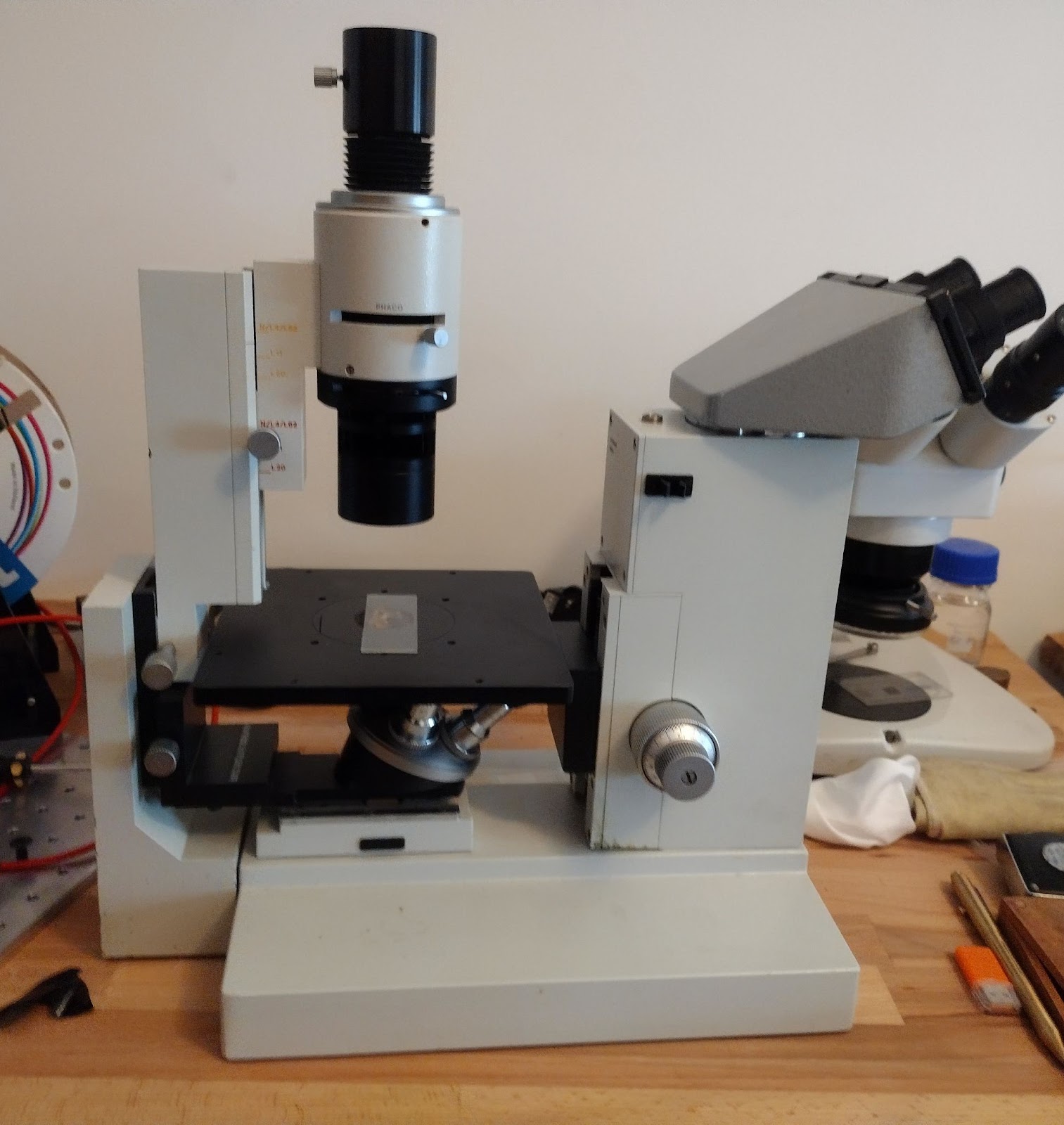
I recently got given a Leitz inverted microscope. Leitz is an old german company that has become Leica microsystems – those guys that make really expensive microscopes. The microscope was in very good condition, a bit of dust and a couple of missing parts.

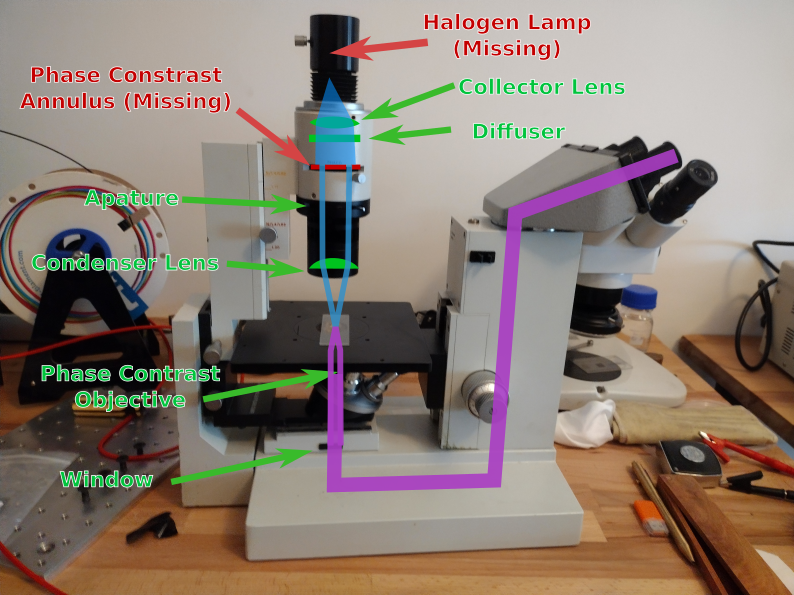
Here’s a diagram with the missing bits (if you want to know the working principles, try wikipedia). It seems that to get it working I’ll need a new lamp, a phase plate (phase annulus) and to give it a bit of a spruce up.

A New Lamp

I decided I didn’t want to modify anything, and that I would use an LED instead. The LED would need to be positioned in the same place as the original lamp would be, and at this point I was unsure about how critical the position would be. To this end I began making an aluminium insert and a few other parts that would allow me to position the LED in 3D space with what turns out to be unnecessarily high precision.

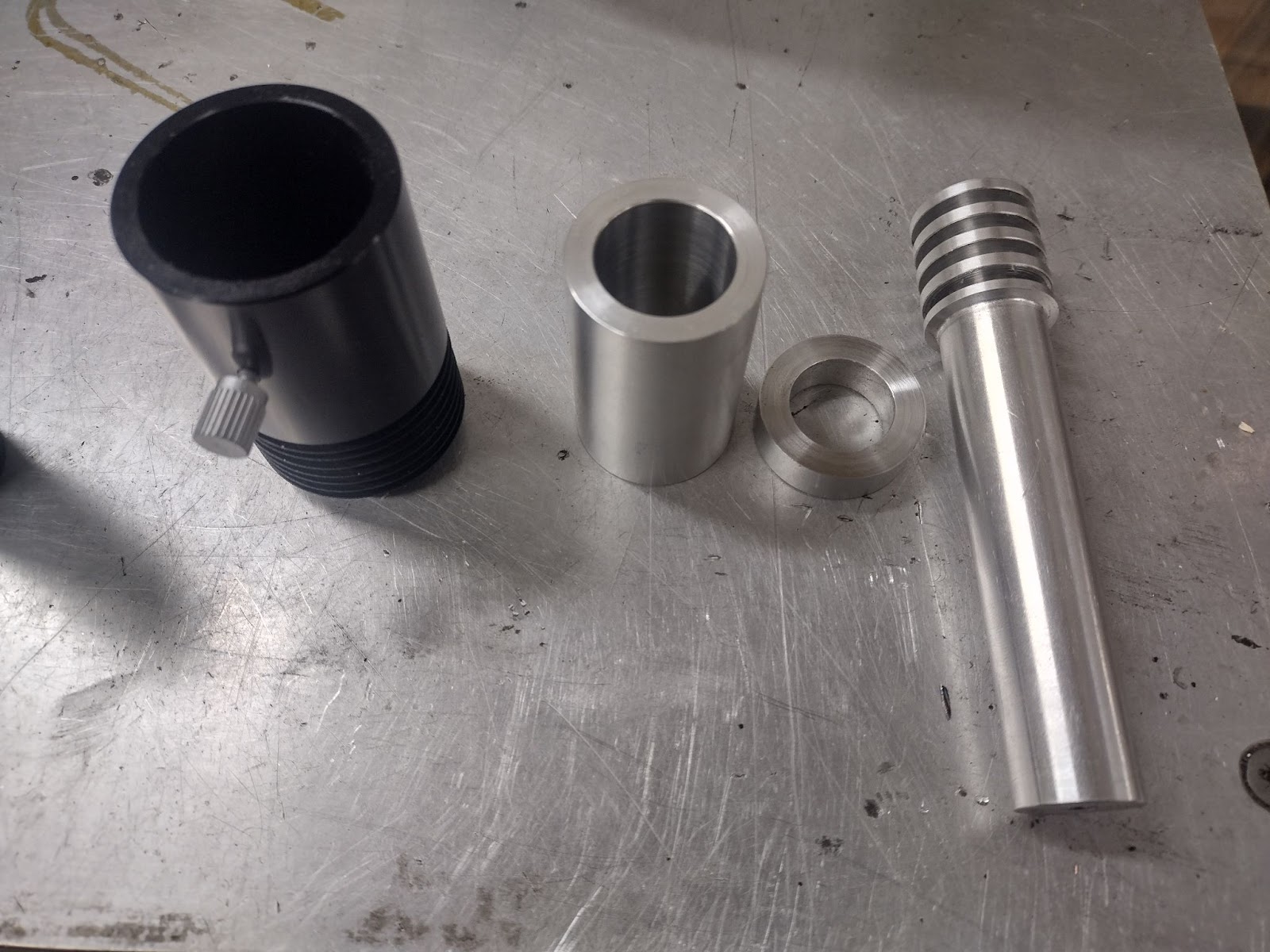
Some turning on the lathe gave the basic shapes, an insert for the original lamp housing, a retaining ring that fixes the vertical position while the horizontal screws are being adjusted, and a bar with a rough heat-sink for mounting a high power LED.

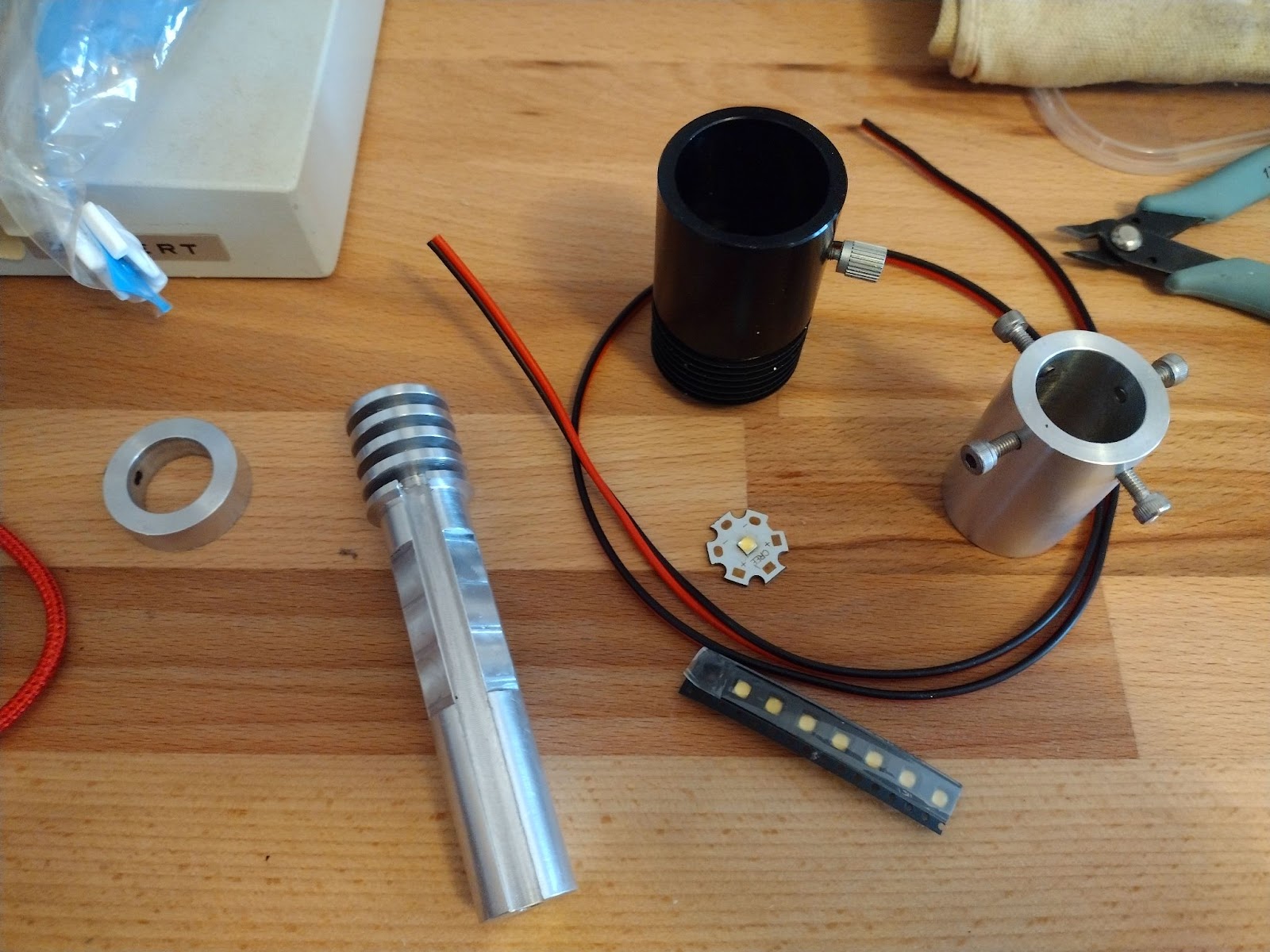
Next, to the mill to cut some flats for the adjustment screws, a channel for wires, and make some threaded holes for screws.

Just need to do some soldering and glue the LED and wires in place, and we have light…

Phase Contrast Annulus

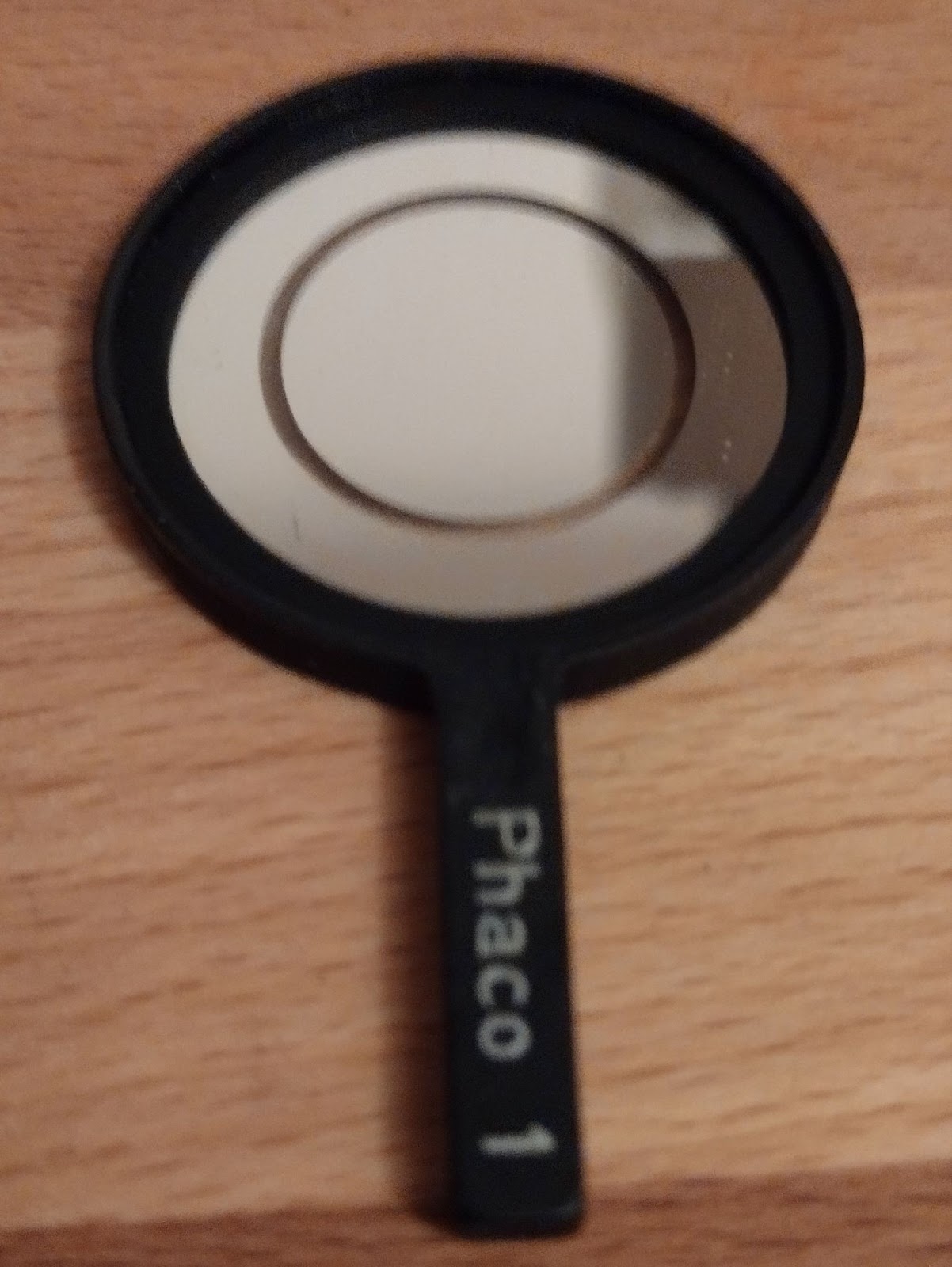
To get it doing phase contrast I’ll need a phase contrast annulus. I thought about 3D printing one, but I thought I’d see if I could find an original. After all, the lamp gets quite warm, and I had no idea what the correct dimensions were supposed to be.

After digging through the manual and blog posts I eventually worked out that I needed a “Phaco 1 Annulus” and it seems there was exactly one in the whole world for sale, Midwest Microscopes – located in the US, presumably somewhere in the midwest. The guy was very friendly and shipped it within a week.

Shiny.

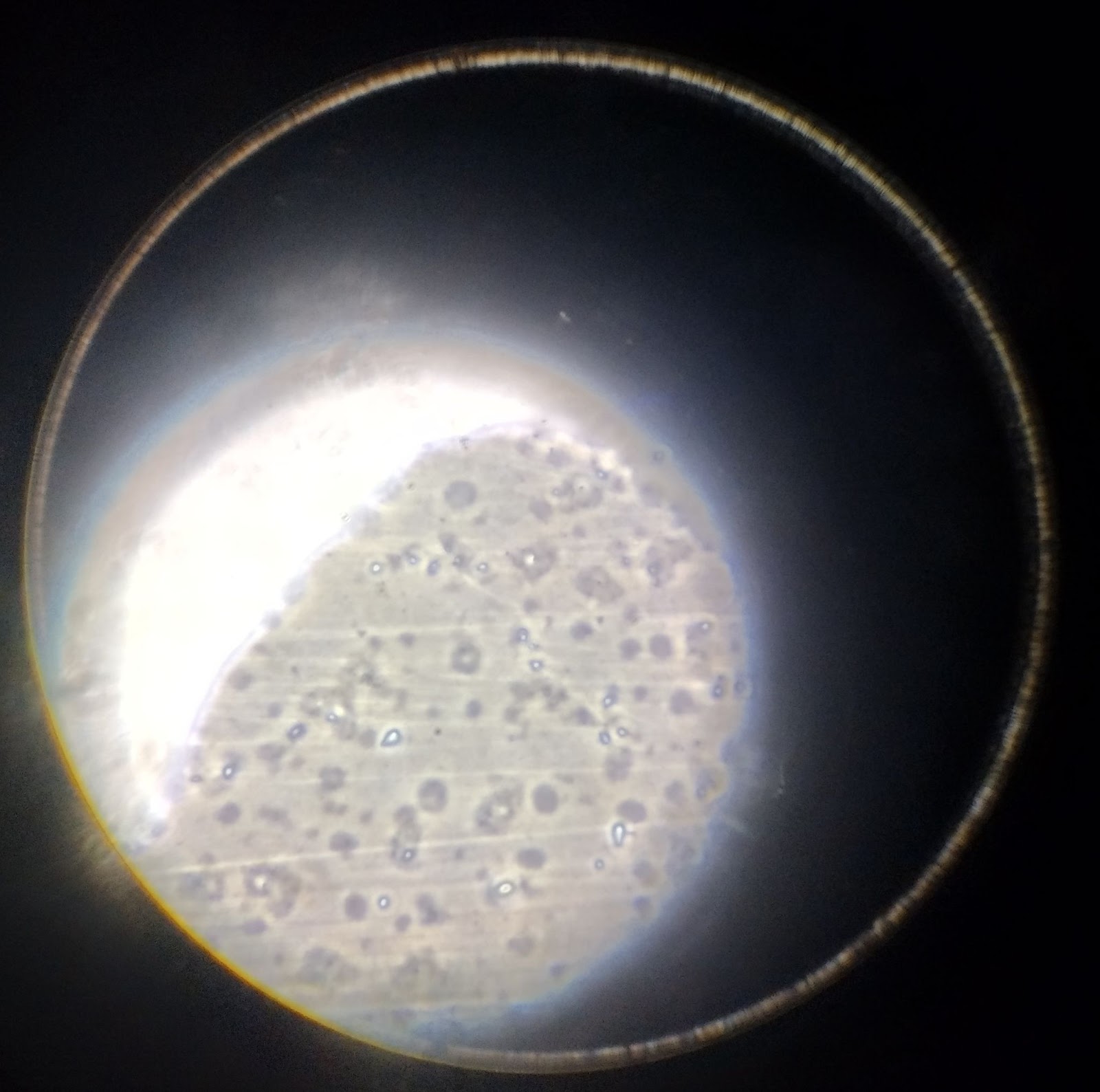
And… it works

This is a picture I took through the eyepiece of some olive oil as a test. Turns out that even though it looks pretty clear, it’s full of tiny precipitates – it was pretty old oil.

Finishing Touches

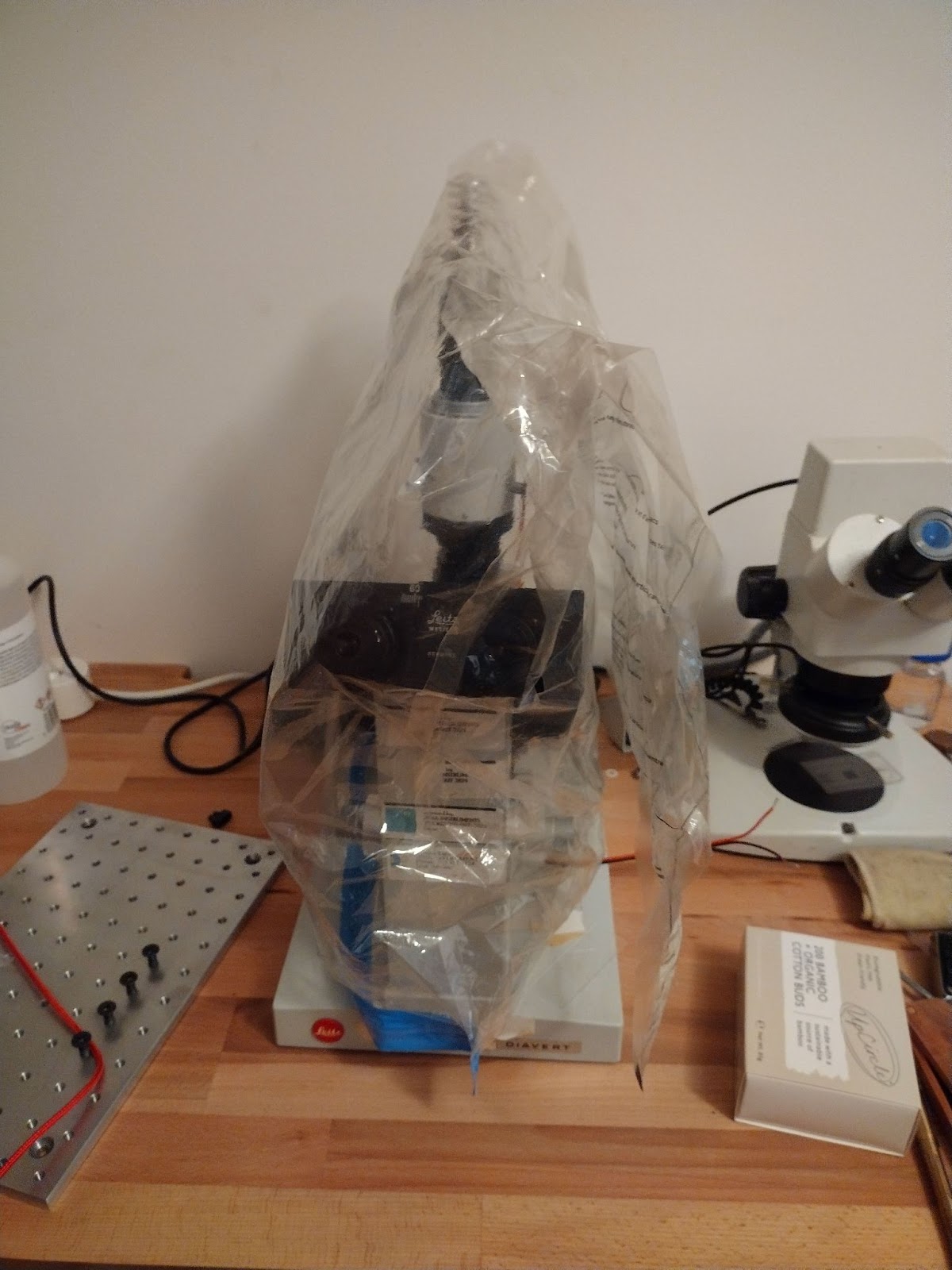
I cleaned all the optics and there was one final thing to do. It originally came in a big plastic bag which only just fitted on. It was a pain to take on and off, and looked awful.

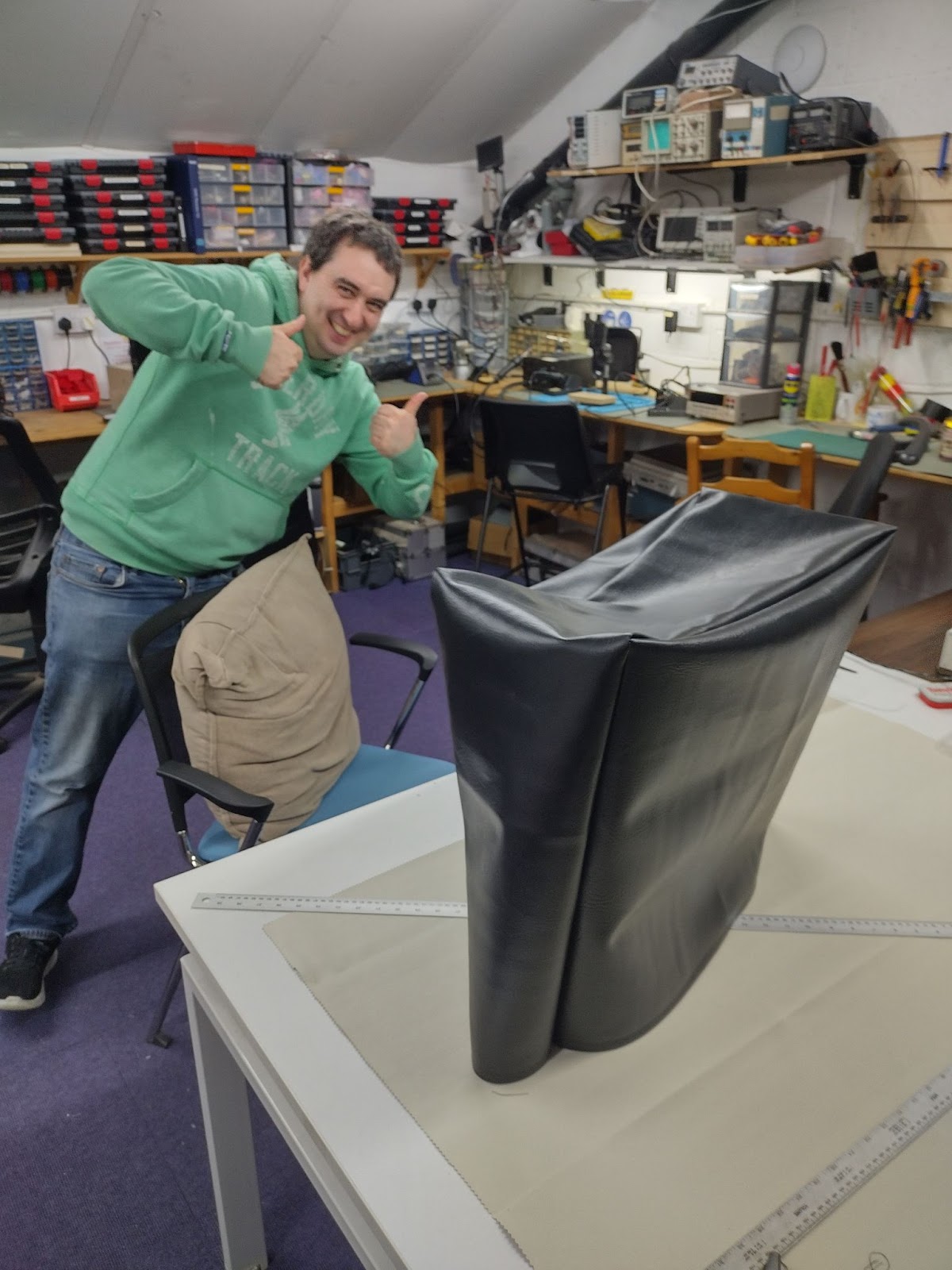
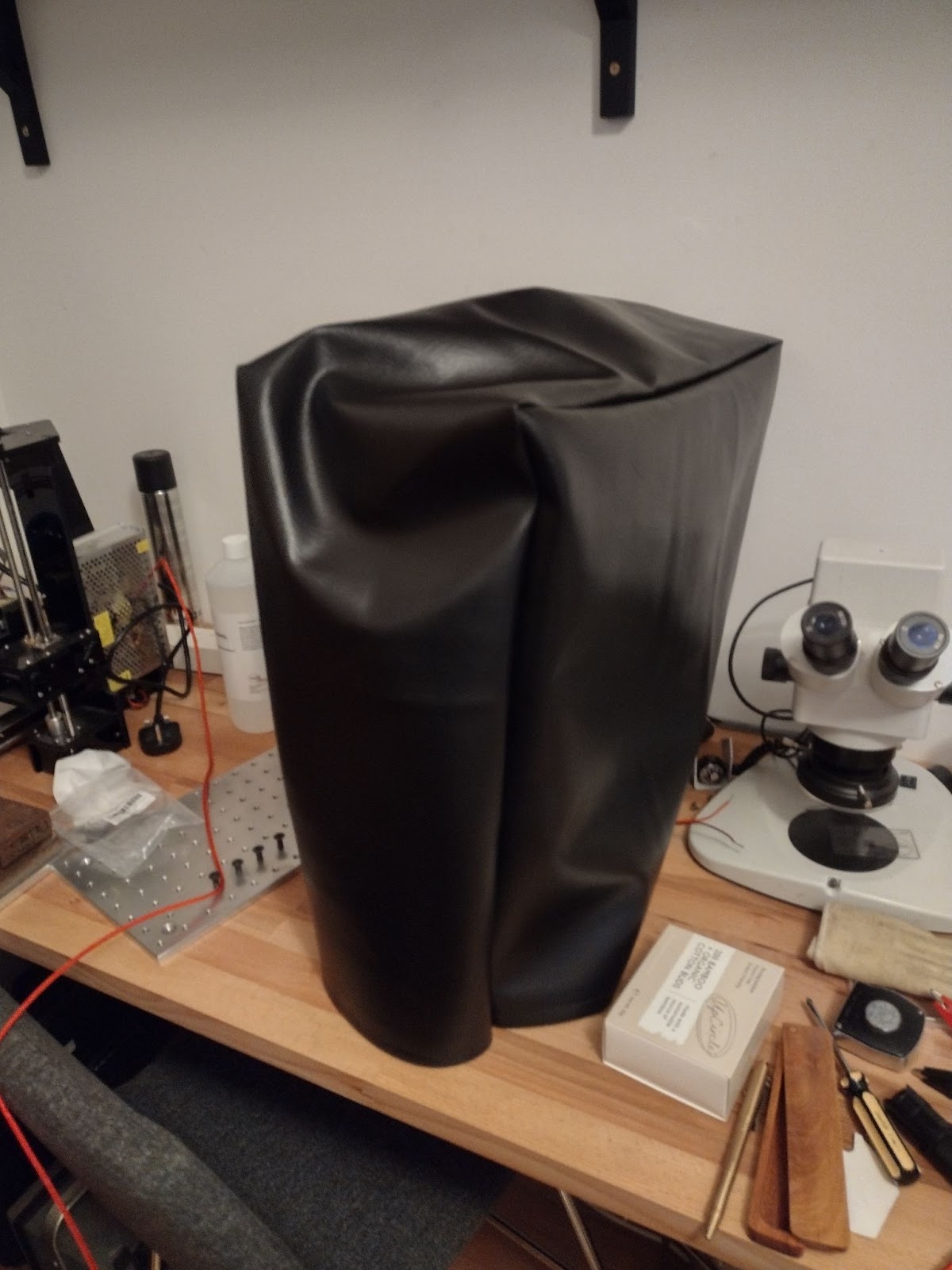
So, I decided to use the spaces sewing kit to make a proper cover. With Josh’s assistance we got a nice faux-leather cover made.

All looking good on the bench, ready to use!

Uncategorized

JAN 12 2024
Author: AnotherMatt Original

Group Project: Light Trail display

By Matt, Aidan, Derek, Jess & James

Tools at the Makerspace used:
MIG welder
Planer
Band saw
Mitre saw
Laser cutter
Soldering iron
various handheld tools

Concept and design

Each year the South Swindon Parish Council hosts a light trail at night though the Old Town Gardens. It’s a fun event where you get to walk though the gardens at night viewing different light installations from disco balls to multi-coloured arches and more. Back in the middle of September we approached the council with the concept of us making something for the light trail. We had about 8 weeks after contacting them and discussing initial ideas to design and build the whole thing, ready for it to be used on the opening night of 30th Nov

As a group we came up with a few different ideas. An infinity mirror dodecahedron, which while visually unique didn’t have much interaction. Angel or fairy wings, we would have like those on the trail to control the light patterns on these but that added too much complexity in our limited time window to make this. The design we ended up choosing was penguins and a snowman with umbrellas, originally it was going to be a polar bear rather than a snowman, but every polar bear we designed just looked like a normal bear painted white. While the 5 of us have plenty of varied technical skills none of us are amazing artists.

Now that we had chosen a design, the difficult question of how to make such a thing came to light. With the tip of the highest umbrella being 8 feet in the air we had to find a way to support it in a cost effective way that would be safe to leave in the park for 5 weeks straight. An early idea was large sheets of wood that we drilled holes in to position the LEDs in. This would allow us to draw the design on the wood and quickly drill holes across the entire thing, however it would also have it a giant sail and even with weights holding it down it would have likely blown over in the winter weather. In the end we decided upon a steel wire frame that followed the LEDs with a wooden frame that it all clipped to, to stand strong and light so that it could safely be in the park for over a month.

Building the steel frame

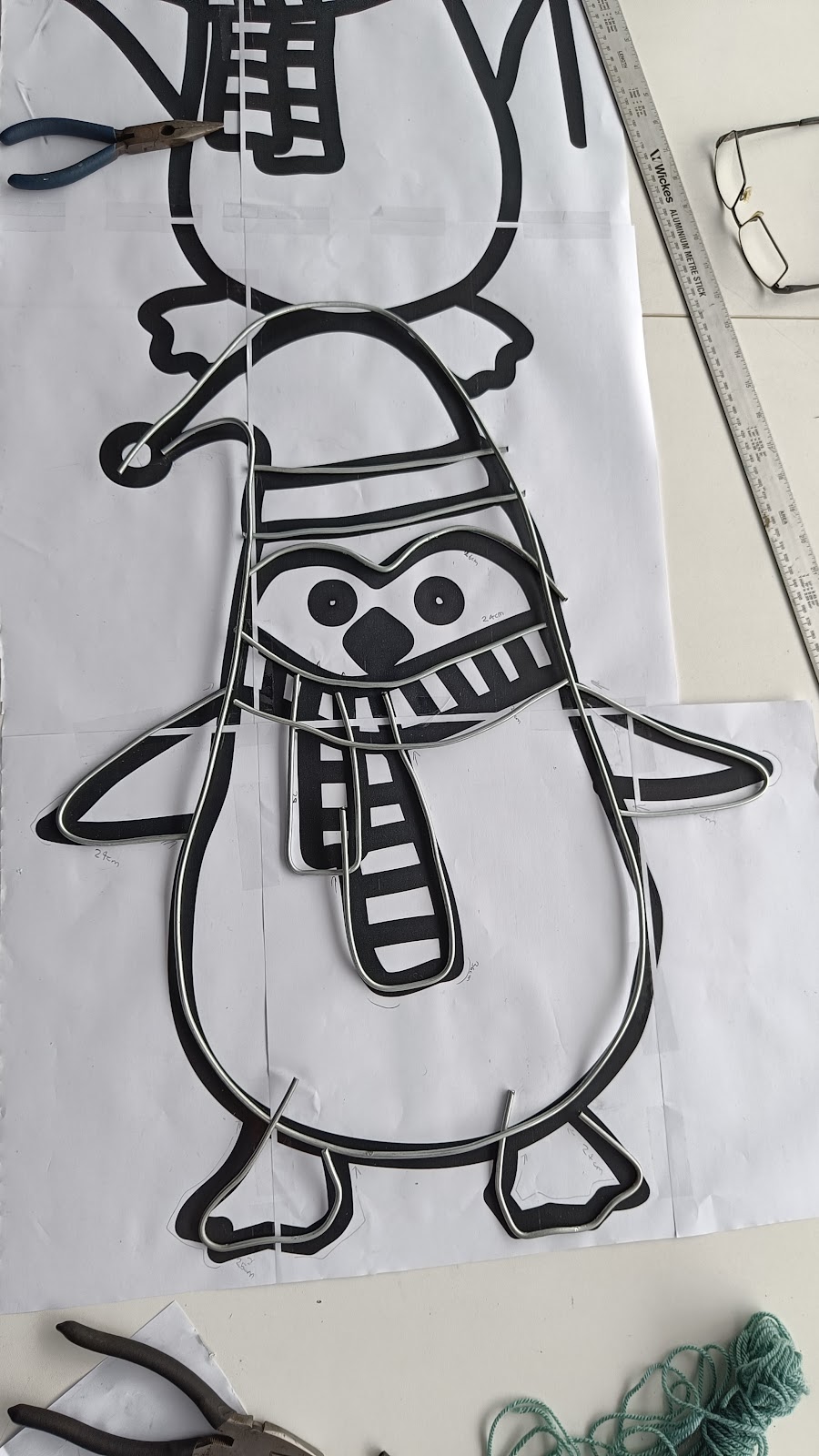
The initial design was scaled up to real world size and printed on our A3 printer at the Makerspace and we taped together groups of pages into each section so that they could be worked on concurrently.
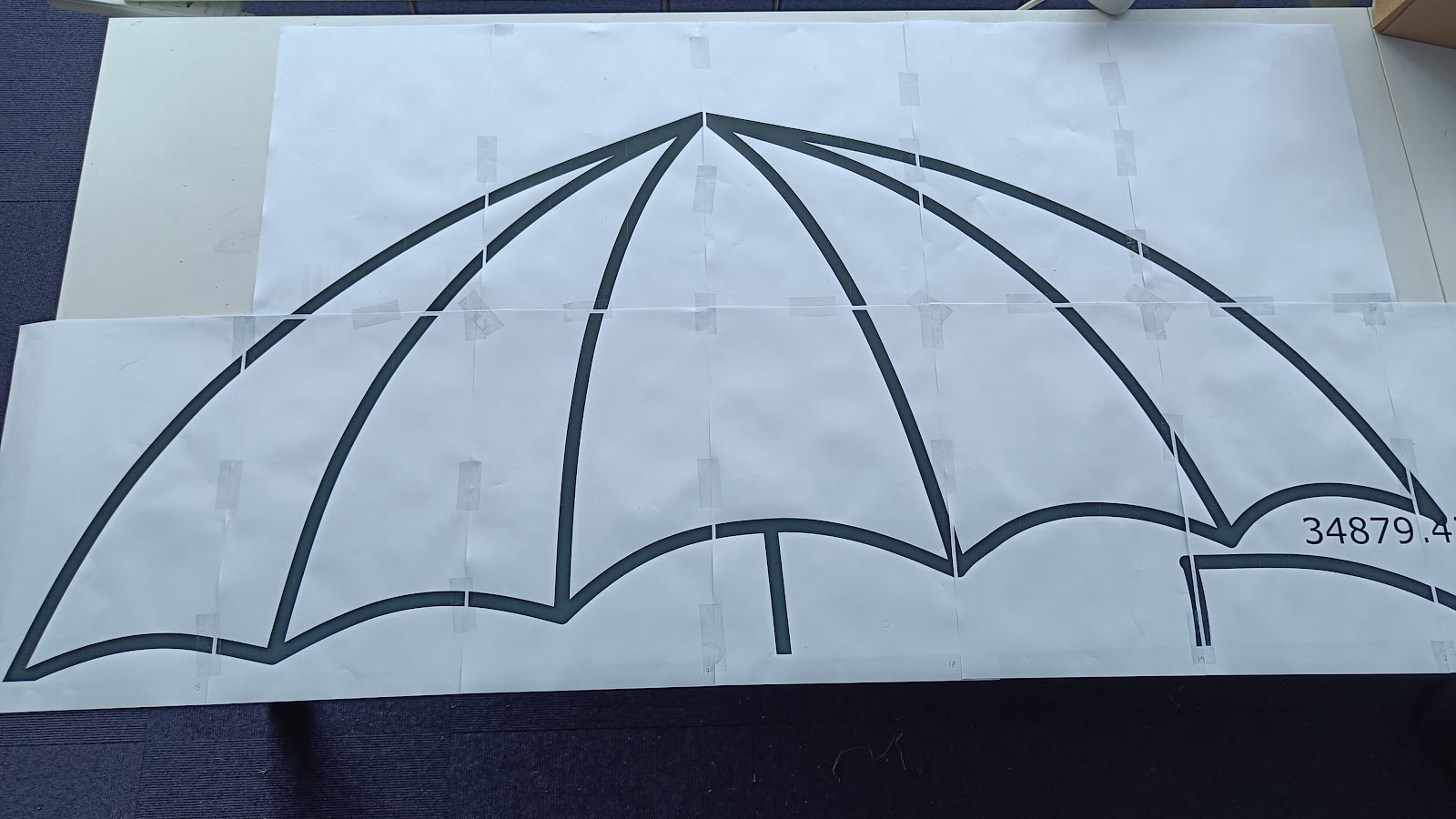
This gave us as a easy to follow template to hand bend the steel wire into before welding it together. once welded they were spray painted black

Don’t forget with galvanized steel, grind off the outer protection for better welding and not breath in some nasty fumes
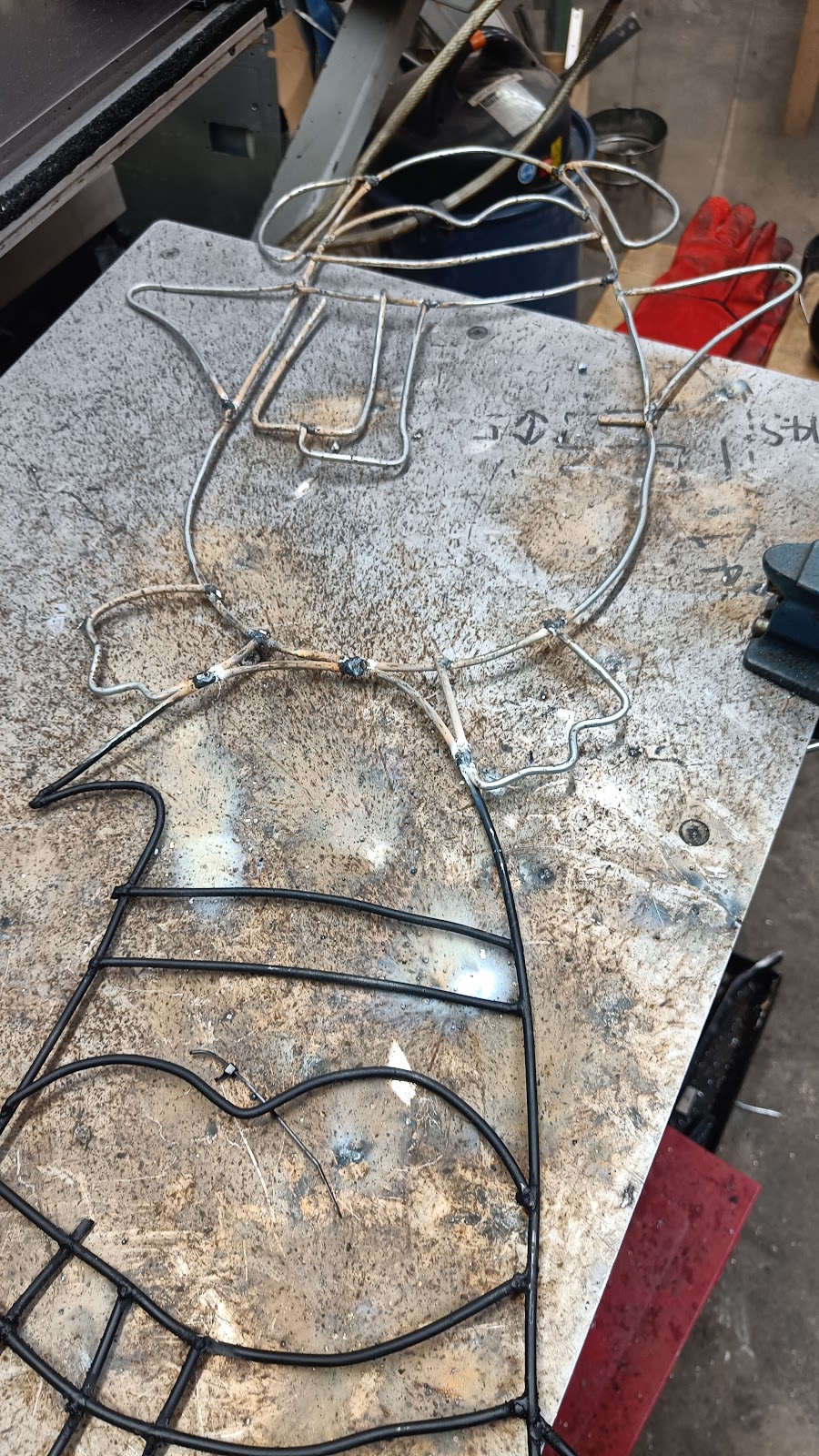
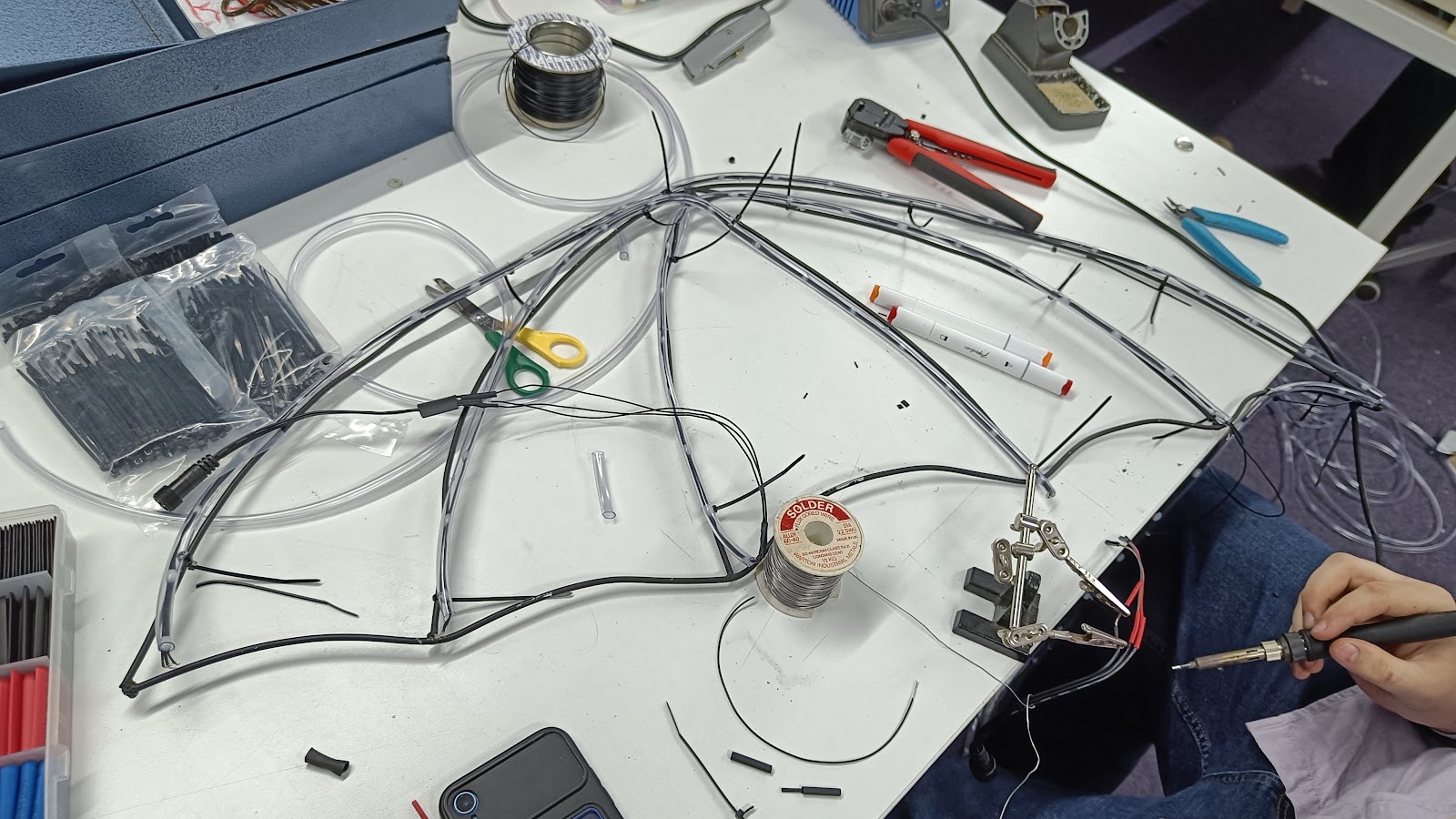
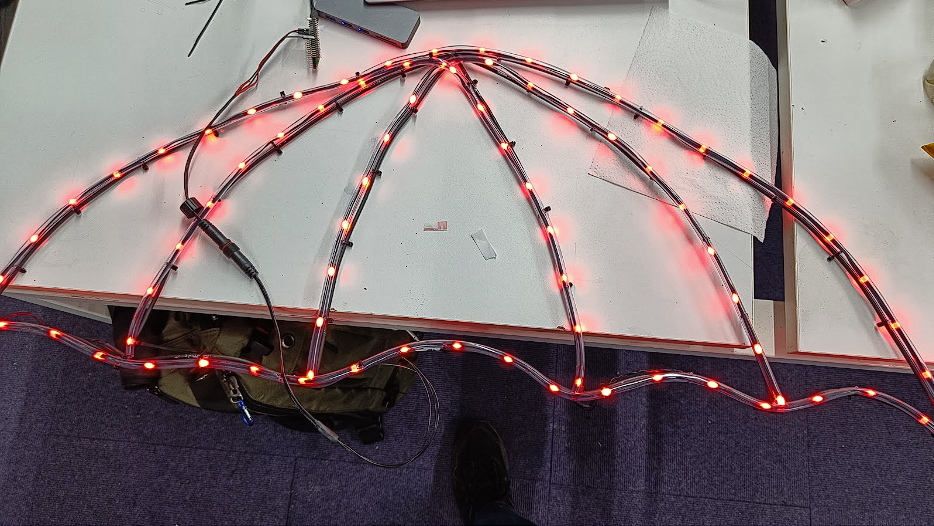
To help the LEDs light follow the shape of the penguins and snowman, we placed them inside some tubing as a makeshift diffuser. Sections of leds were then wired together and zip tied to the welded frame. We used addressable RGB leds (WS2811) which allowed us to control their colour in software which is mentioned later.
Makerspace badge & signage
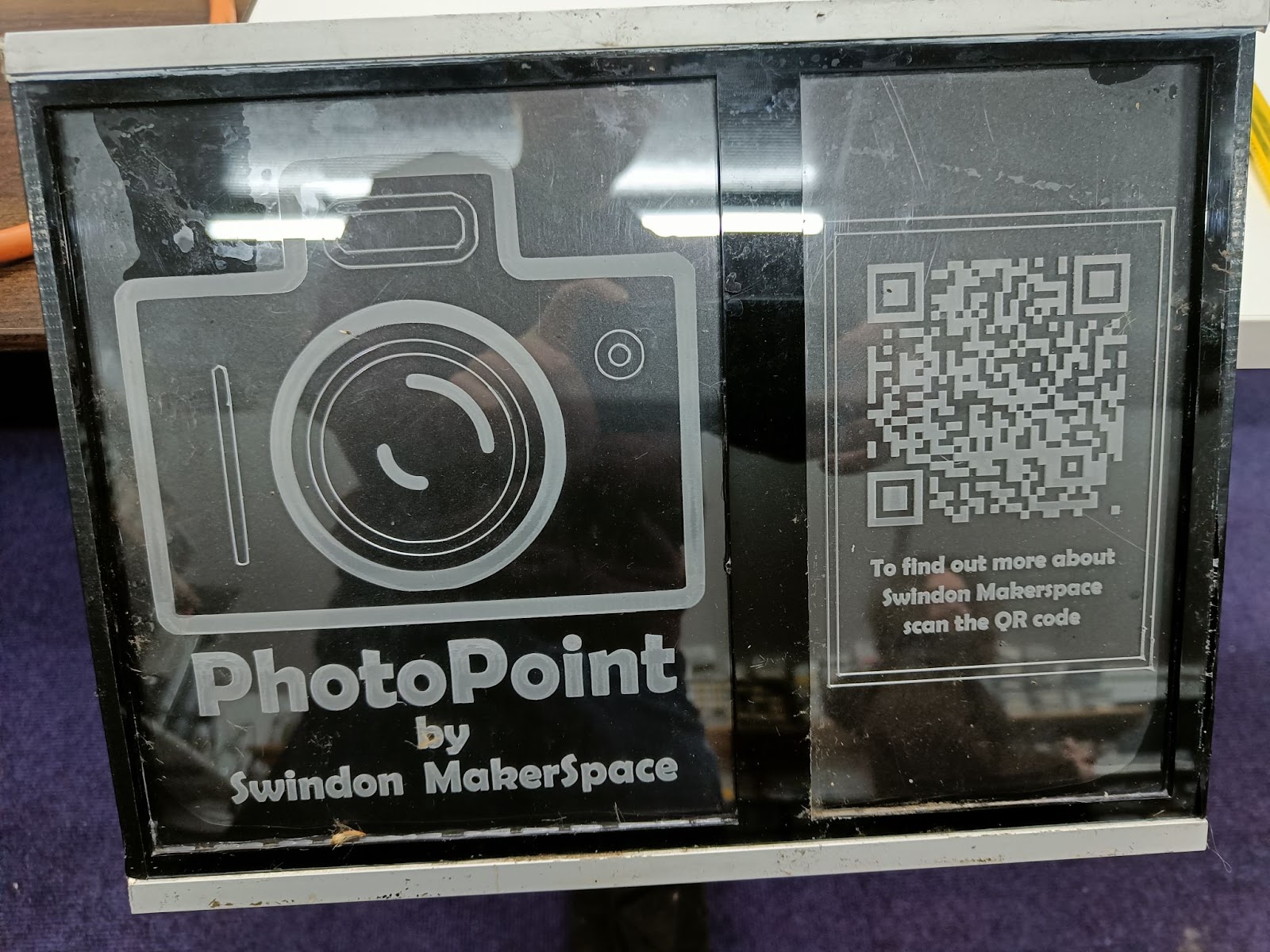
To help people recognize the Makerspace as the group that made the display we added a logo and a display. The logo was a badge for the snowman, we engraved the Makerspace logo onto some acrylic with the laser cutter we have at the space, this was then edge lit to help highlight the acrylic. The same technique was applied to the display stand with a QR code to our website so anyone curious enough to scan could find out more about us.

Standing Frame
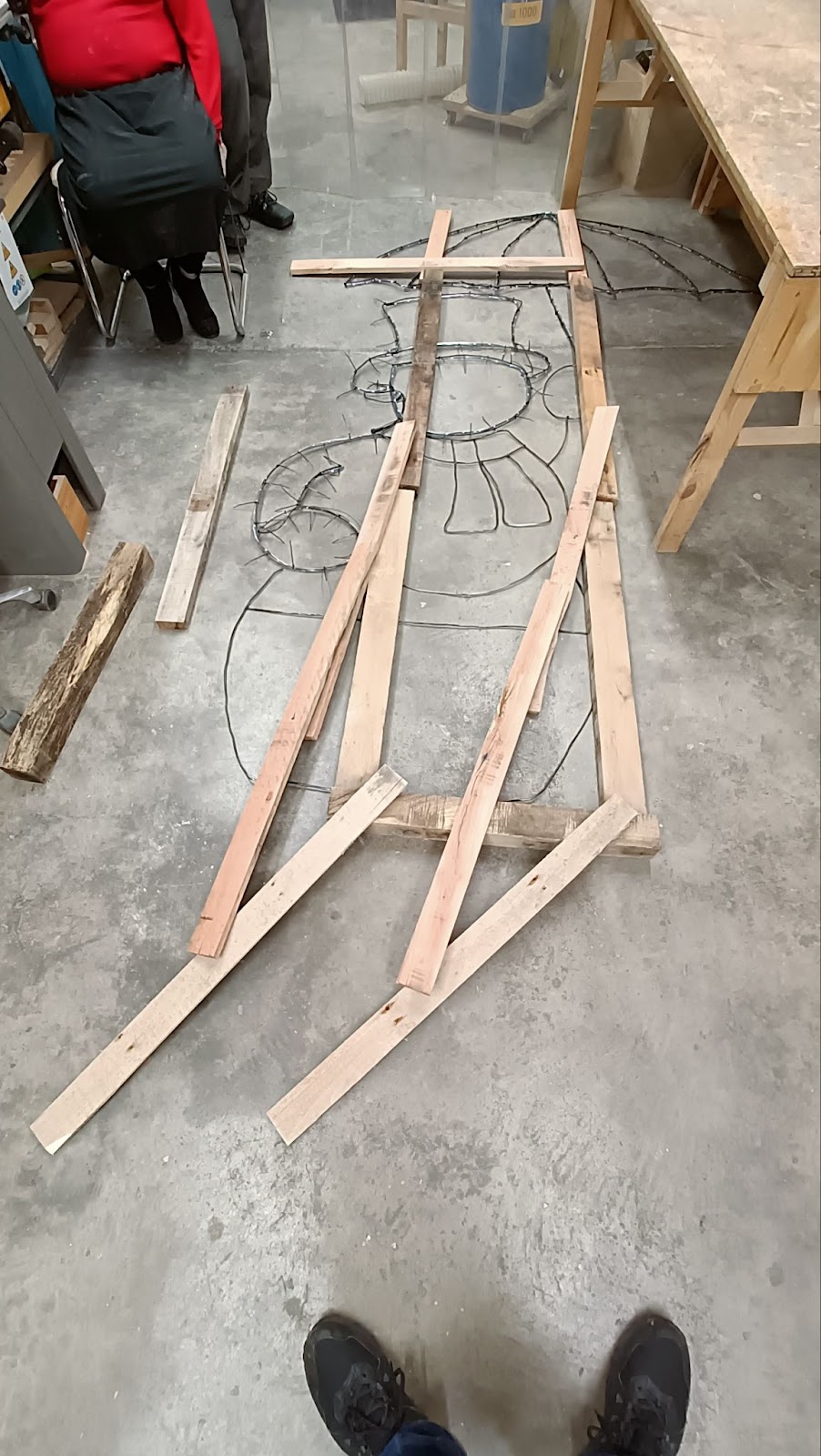
After a fair bit of muscle to bend the wire into shape, welding sections together and then zip tie all the LEDs in tubes in the frame, the next question came up. How does this stand upright in the middle of winter? We came up with the idea of a wooden support frame held down in position with sand bags.

To help keep costs down we up-cycled some wooden pallets. This involved breaking them apart, removing all nails, cleaning up the rough edges with the Planer/Thicknesser and then cutting to the desired length on the mitre saw. As the display was relatively light the frame didn’t need much support and a sandbag would prevent it from moving in the wind
Electronics and coding
With over 700 LEDs each RGB and addressable presented a few issues but also some built in solutions. With LEDs being so efficient the power consumption was not too much to worry about however it could pull in excess of 10 Amps at their 5 volt operating voltage. They could have consumed even more but we limited their maximum brightness to prevent blinding guests who came to see the display. We found a cost effective way to power these with a many port USB power supply. To improve reliability the design was split into sections of around 100 leds each which had its own power rail from the power supply and separate data signal from the Teensy 3.6 micro controller that we used to control the LEDs.

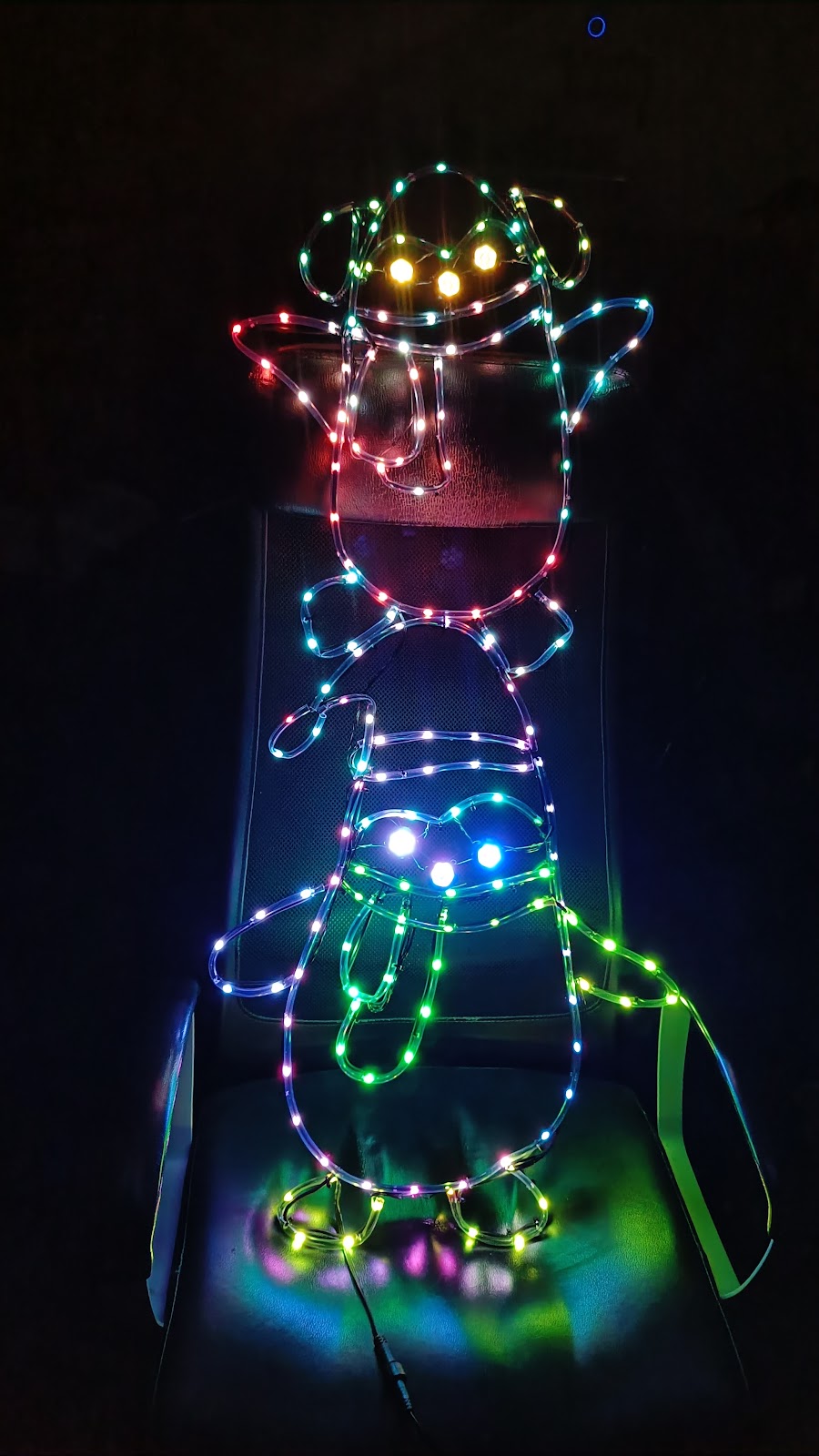
The leds themselves are daisy chained WS2811, allowing for many to be controlled by a single data pin. Each section had its own data pin for ease of design. We initially wanted to use the Raspberry Pi Pico, however this had issues with the LED library we were using so moved over to the Teensy 3.6. The code didn’t change though as this was all written in arduino. For ease of programming the over 700 leds we programmed them block by block. Each block represented a visual feature of the display from penguin left foot to snowman nose. Then a colour was assigned to each block.

After programming all the sections we turned it all on but noticed a slight issue, colour correction
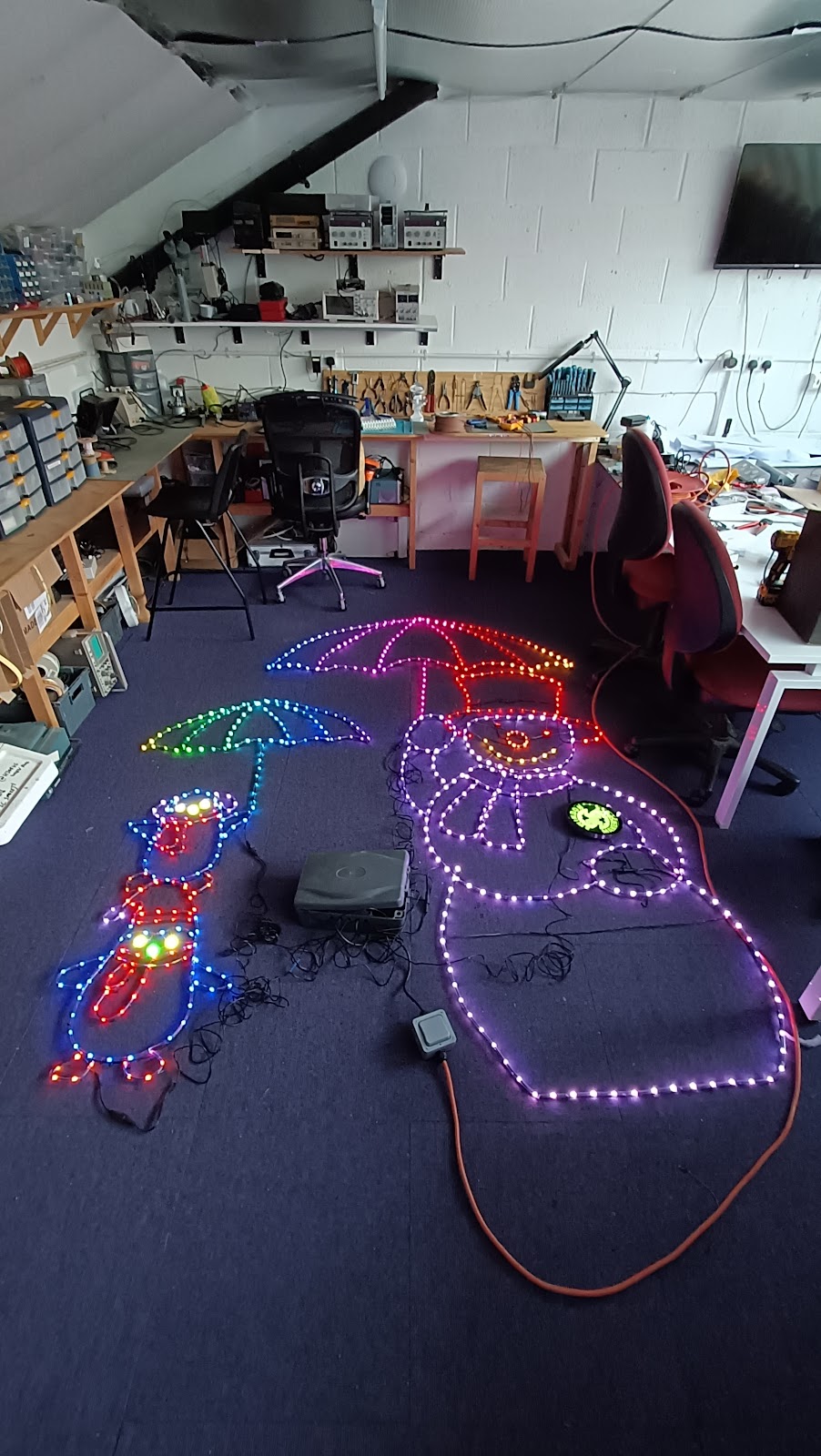
In the image above the snowman is meant to be white not purple and the eyes were not meant to be red or that bright. The first issue was caused by red and blue leds being much brighter than the green causing a tinting issue, this was fixed in software by setting white to be a pale green instead.

The eye colour presented a slightly different problem though. The eyes used different LEDs as they are premade circles of RGB addressable LEDs rather than the wire form we used on the rest of the design. These LEDs were GRB rather than RGB so when we set them to be green they turned red, and if we set them to be yellow they would be purple. As there were also 7 of these LEDs in such a small space we had to lower their brightness otherwise the penguins looked rather evil with such bright eyes
Final steps of building
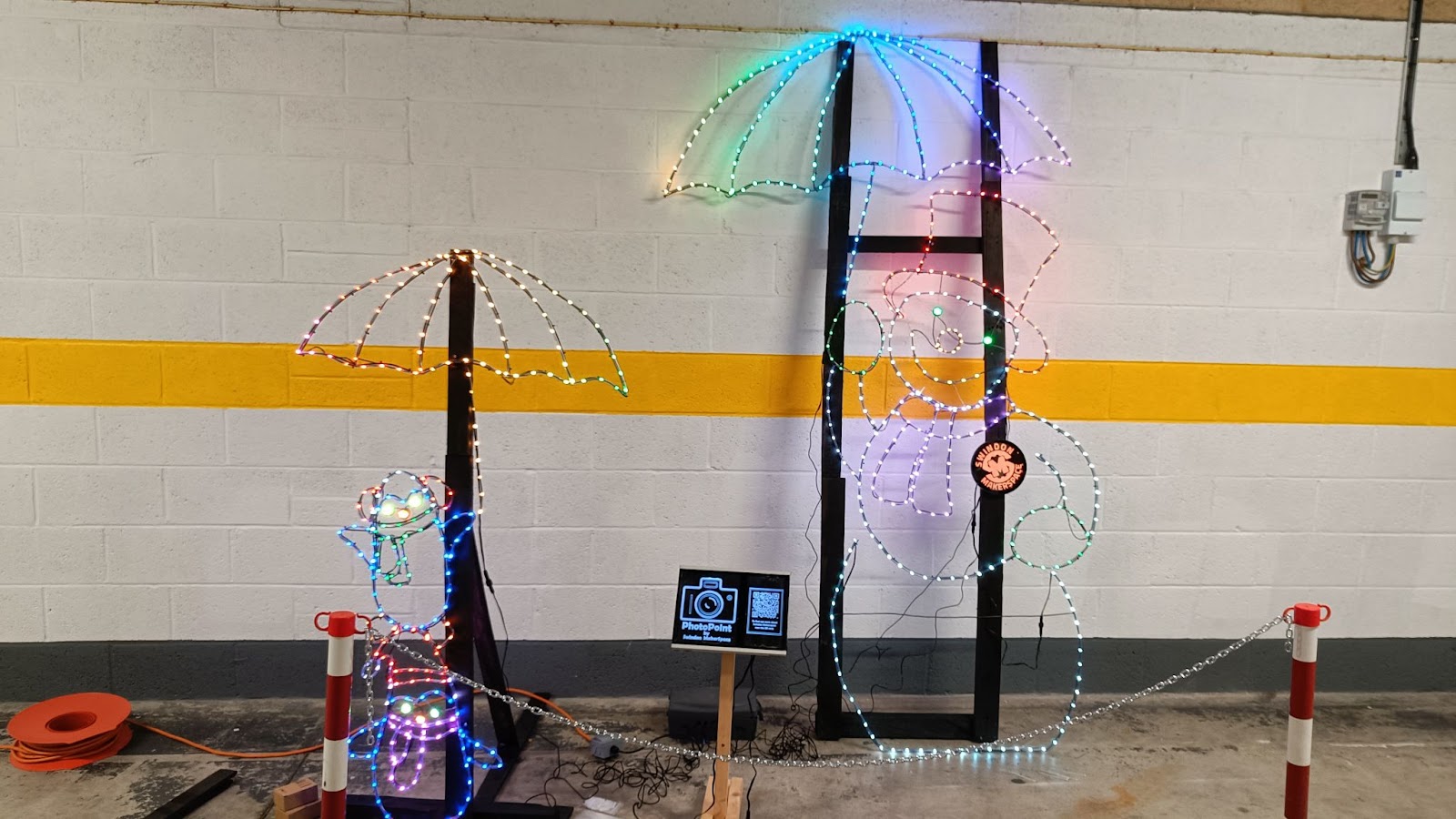
With the opening day happening on the 1st December time was beginning to run out so we hurried to get the final design built and make sure it all works. Each section had worked properly by itself but we had yet to put it all together. The day before we set it up in the Town Gardens we put it all together in the hallway outside the Makerspace before packing it all up in a couple of cars
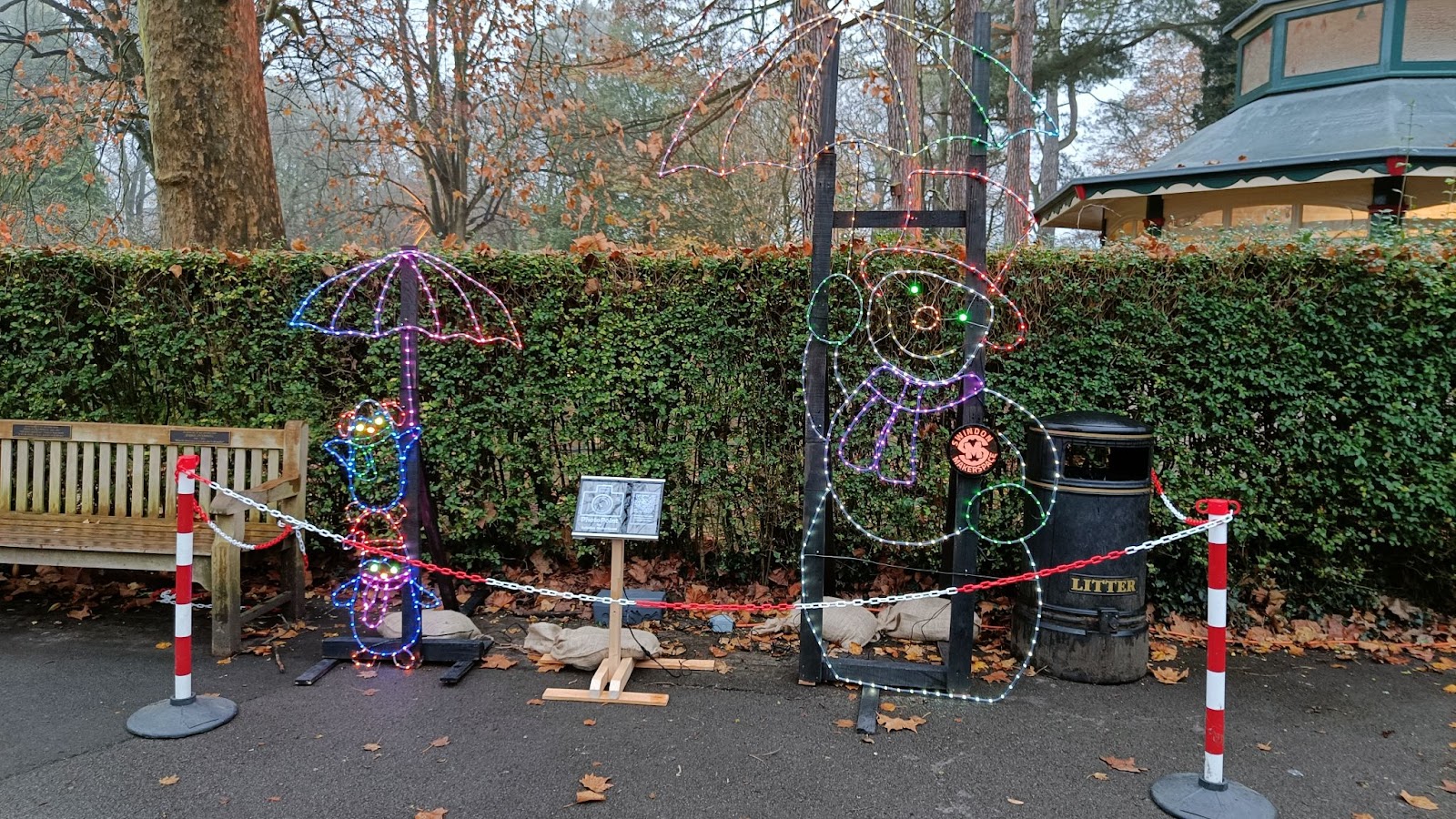
So came the day for us to setup outside, this would be the first weather test of the display and over the whole 5 weeks it was outside we had very little go wrong which is a testament to the build quality of us here at the Makerspace
The light trail
Along came the opening night, it was really popular and the display itself looked amazing in the dark, the umbrellas had a slow wipe of rainbow colours across from side to side. We would have liked to animate the lights more but ran out of time.
It was great to see so many children and family take photos with our penguins and snowman

Uncategorized

MAR 05 2022
Author: castaway Original

Elegoo Mars 2 Pro Resin Printer

Thanks to the lovely people at Elegoo, we now have a resin printer for the members to use. After much reading up on how to handle resin (which is toxic so you shouldn’t get it on your skin), we designed a process to use it, and taught some members.

One of the first was Matt, who videoed the process for us:

We were generously sent an Elegoo Mars 2 Pro printer, a curing station and a bottle of water washable resin.

Equipment, howto, Making

JAN 05 2022
Author: AnotherMatt Original

Member Project: Rebuilding a Retro Boombox

Stats:
Made by: Matt
Status: Finished
Tools used: Dremel, Soldering Iron

Introduction:

So this was a project that I always had in reserve if I didn’t have many other projects. So when the world shut down I decided to give this a go. The aim was to grab an old portable boombox from the 90s and breathe new life into it by replacing most of the internal electronics and adding new features. It was initially going to be a small project with just Bluetooth, rechargeable battery and amp but as it continued there was a bit of “feature creep”. 

By the time i finalized the requirements I had the the following:
Inputs – Bluetooth and 3.5mm Jack
Rechargeable battery
Visual equalizer
Bass, treble & mid filters
LCD display for track data
A couple of USB ports for charging phones

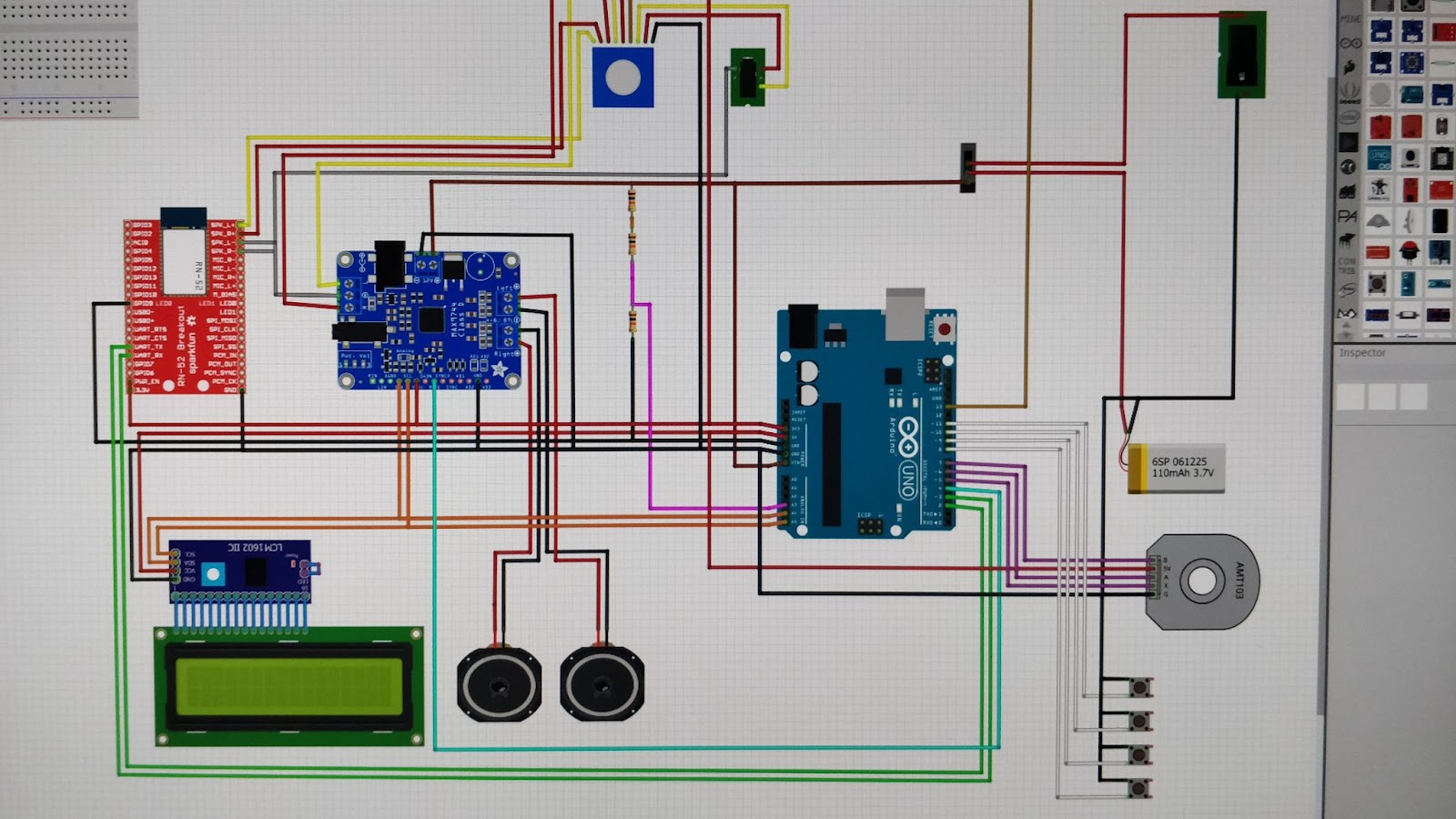
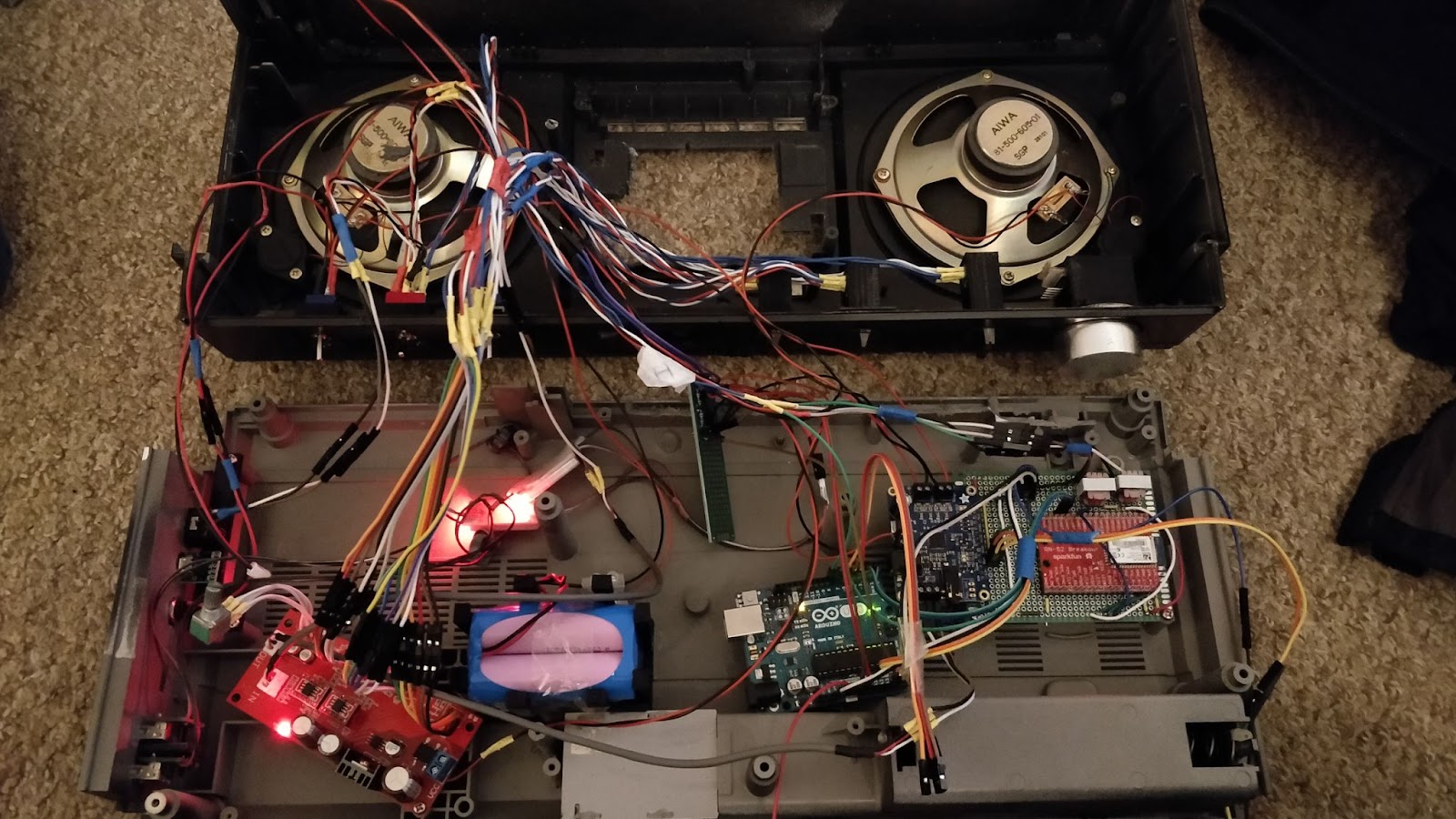
At first I was going to use a raspberry pi as a receiver with an amp board on top, however its boot time from off to playing sound was over 15 seconds, even with some quick boot tricks to get the operating system running faster. So Arduino stepped up to the role of the controller, after a bit of designing I had a rough layout of all the wiring.

The volume dial is a rotary encoder with a push feature which will be used as mute, I used the standard arduino as I happened to have one lying around and it had enough IO and computer power for this project.

The biggest difficulty was getting the display to show the metadata from the bluetooth module, most bluetooth receivers don’t make this information accessible so I had to get a pricier one that allowed data communication with something such as an arduino. The RN-52 allows you to send a text command such as “V+” to increase volume or “D” for it to reply with track data.

As this was during the first year of human malware known as Covid 19, so without access to the Makerspace for long periods of times the initial focus of work was on the electronics as I have a soldering iron at home.

I’ll be the first to admit the wiring is a messy disaster but its works and will be hidden once the case is closed up.

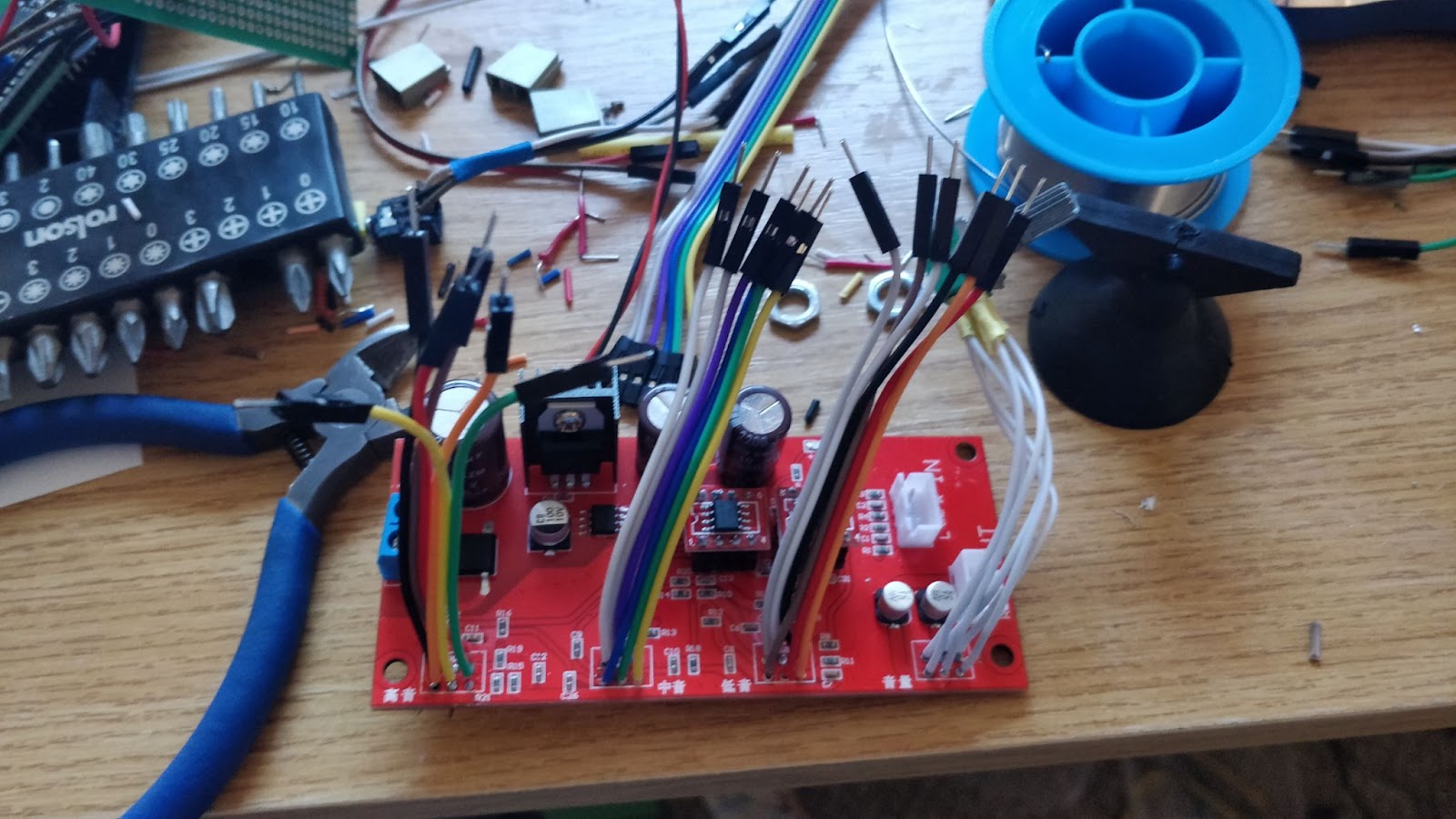
The bass, treble and mid module here had 3 volume dials which were mounted to the board itself but to fit on the case they were desoldered and disconnectable wires were added, but also added to the mess

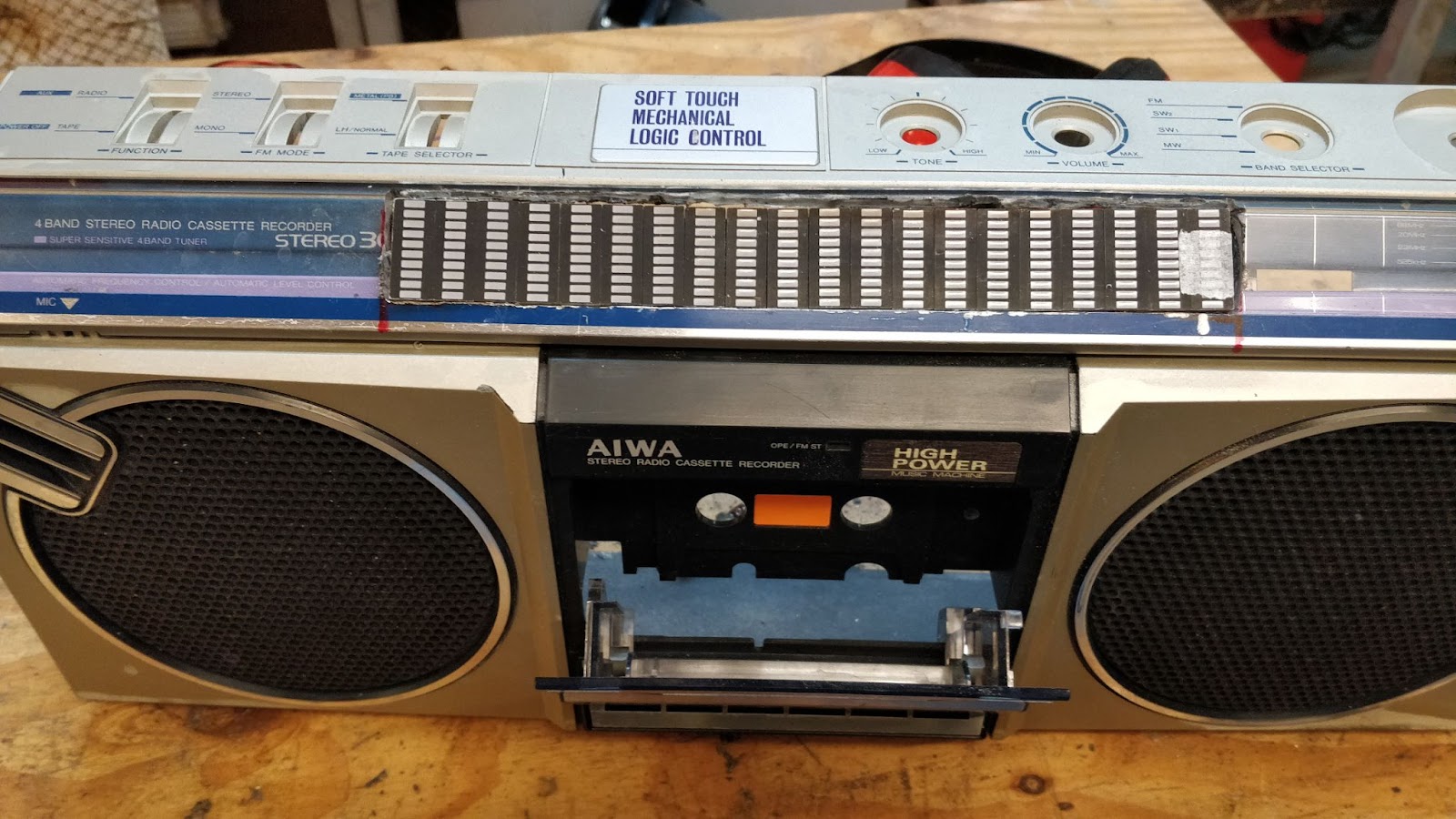
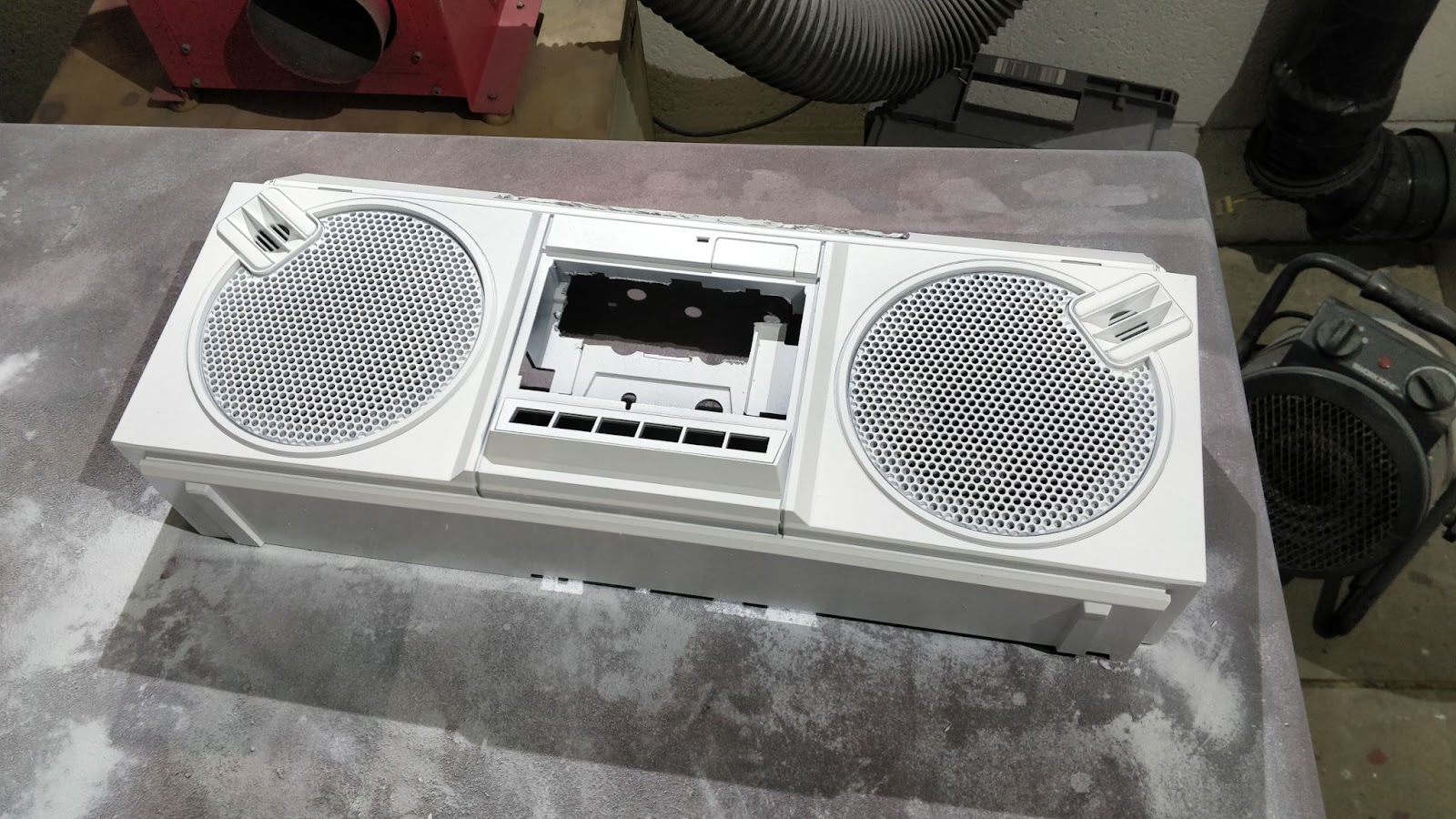
Once we were able to return to makerspace the project moved to cleaning up the retro boombox, cutting the holes needed to the visual equalizer and giving a fresh lick of paint.

Visual Eq added.

Undercoat:


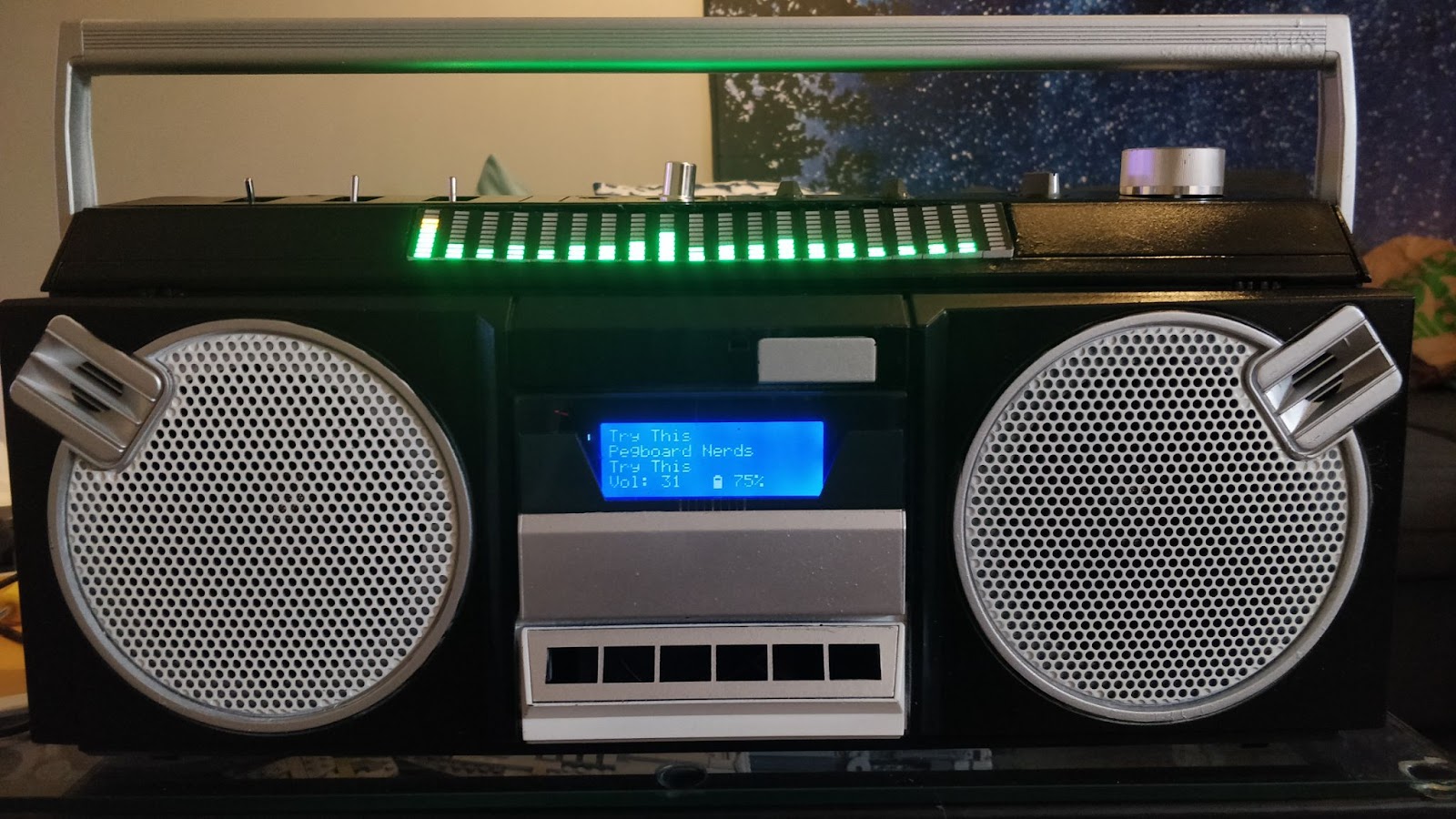
Final Result:

The amp circuit can output 20 watts, even on ¼ volume the speaker can flood a small hall. Along with a rechargeable 52 Watt hour battery I have used it for hours at parties and still had plenty of battery left by the end.

Uncategorized

NOV 21 2019
Author: Joe_ Original

Member Project: Rocket Stove

  • Made by: Joe
  • Status: Finished
  • Tools used: Horizontal bandsaw, angle grinder, MIG welder.

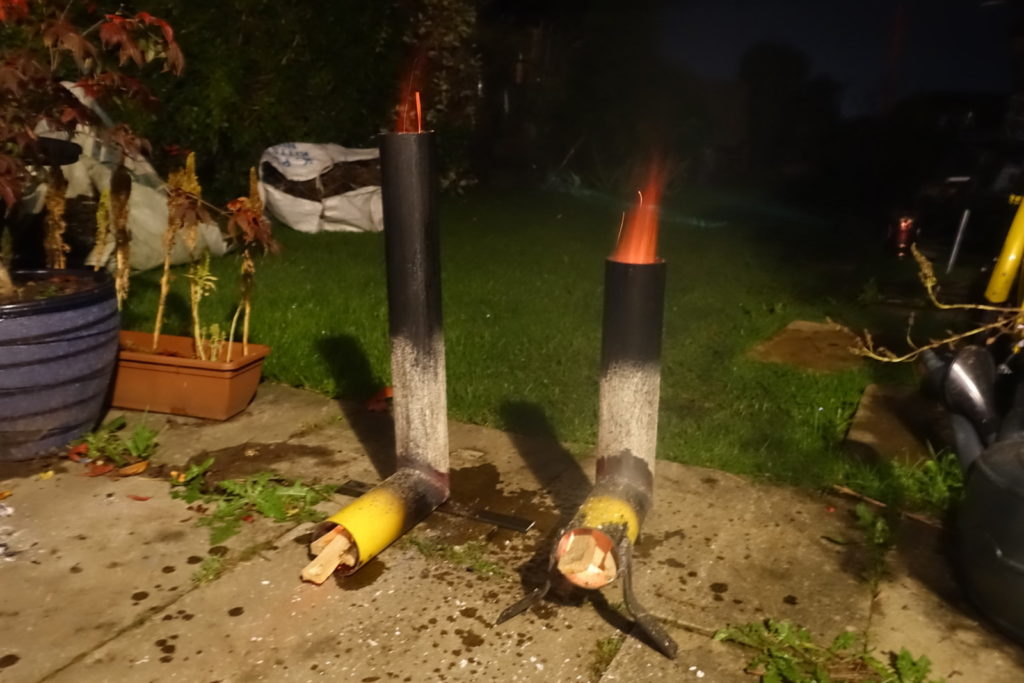
A rocket stove is a stove that uses small diameter wood as fuel, and burns incredibly efficiently without smoke. Primarily used in India and Sub-Saharan Africa due to the reduction in wood required, they also make great stoves for camping, or for burning garden waste.

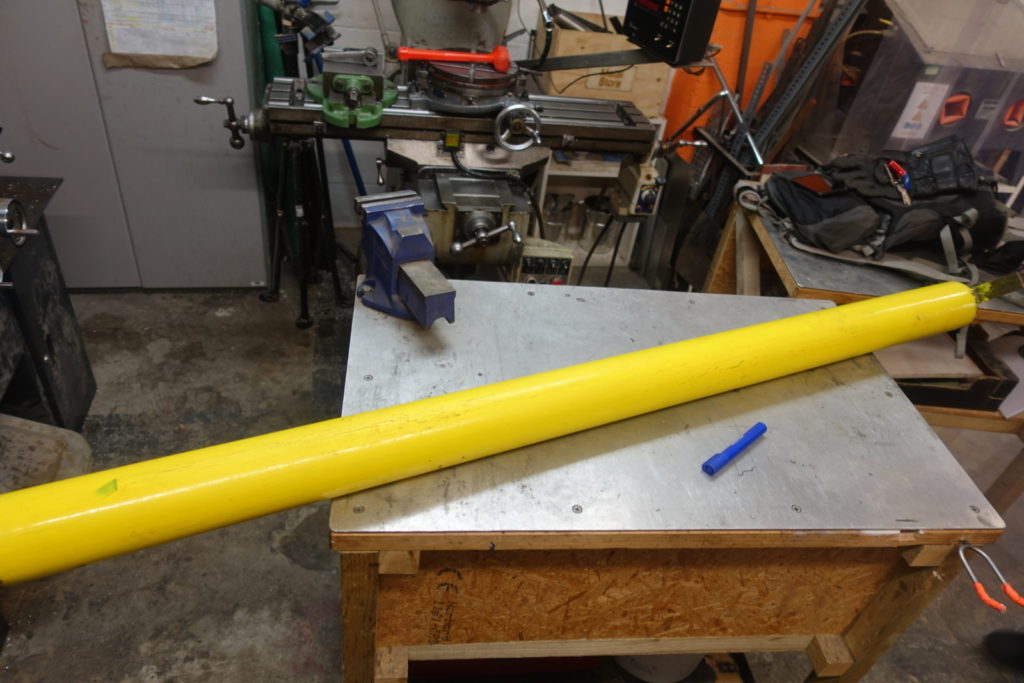
My dad had some scrap steel tube, and as a gardener has an endless supply of twigs, sticks and small branches to get rid of. After trying previously to cut a right angle with an angle grinder, by hand (with predictable results…), we decided to do it properly and use the tools at the Makerspace.

Scrap steel tube

To start with we measured the length of the tube, and worked out how big we wanted our stove to be. For some reason there’s basically no information online on the proportions required for a rocket stove, so we went with a 600mm chimney and a 200mm horizontal piece, which left enough scrap material to make a smaller stove too.

The next step was to turn the tube into a tube, as one end had an endcap welded on, and the other a bracket. To do this we used the horizontal bandsaw to cut the ends off the tube.

Cutting the ends off the tube with the bandaw
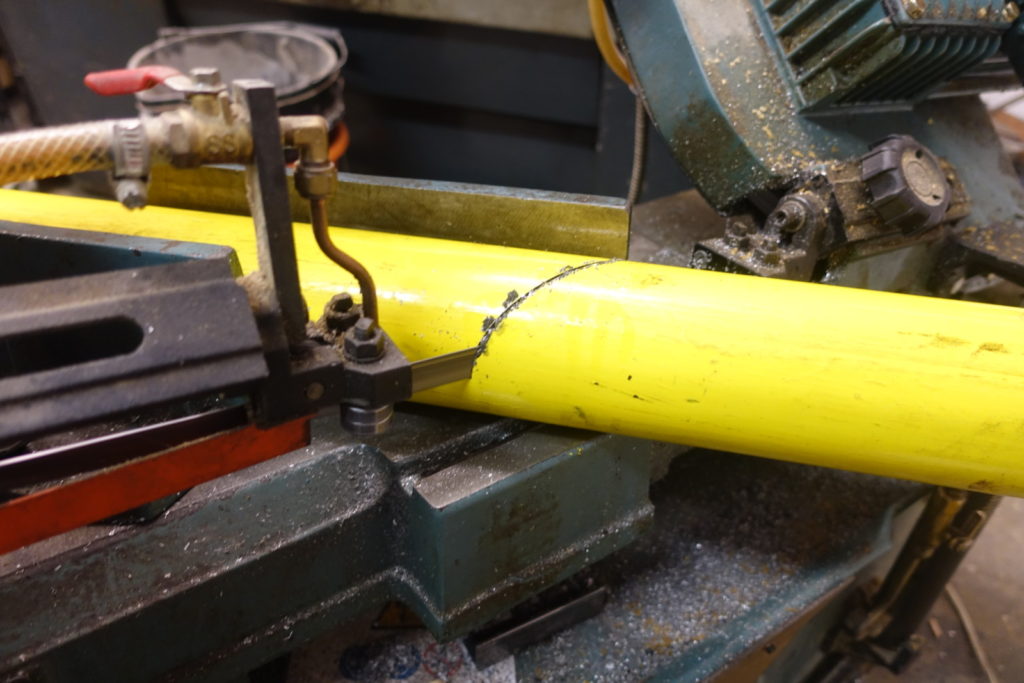
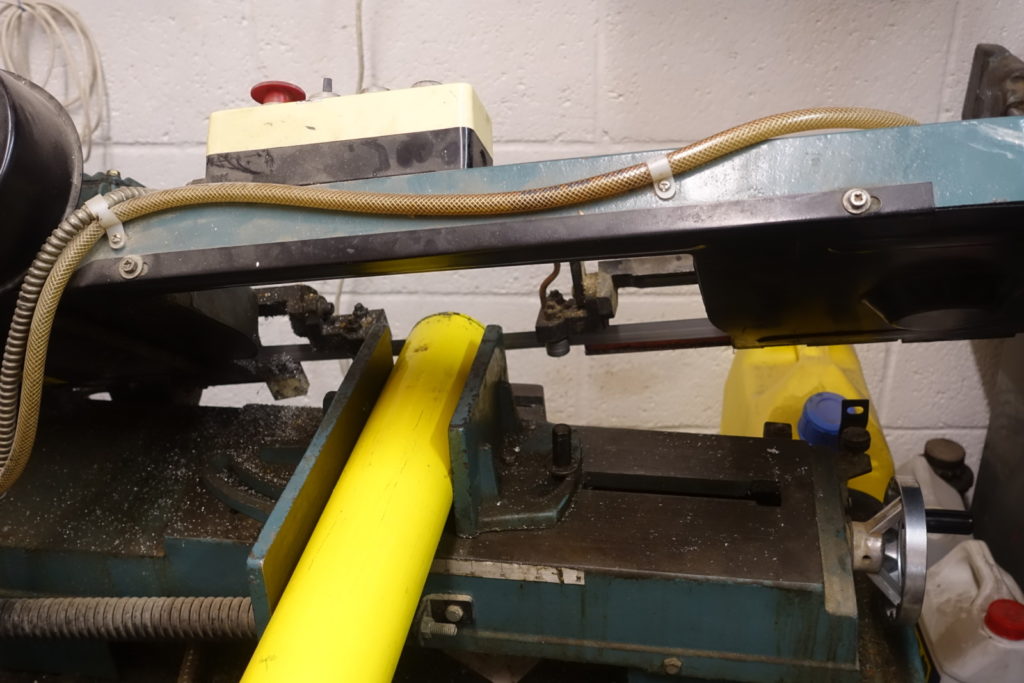
Once we had a tube, it was time to cut the mitre for the right angle joint. By loosening the bolts on the vice in the bandsaw, rotating it until the indicator reads 45 degrees, pushing the jaws together and tightening the bolts, the vice can be pivoted to cut a 45 degree angle. We measured and marked the tube, and put it in the saw to cut.

Mitre cutting on the bandsaw

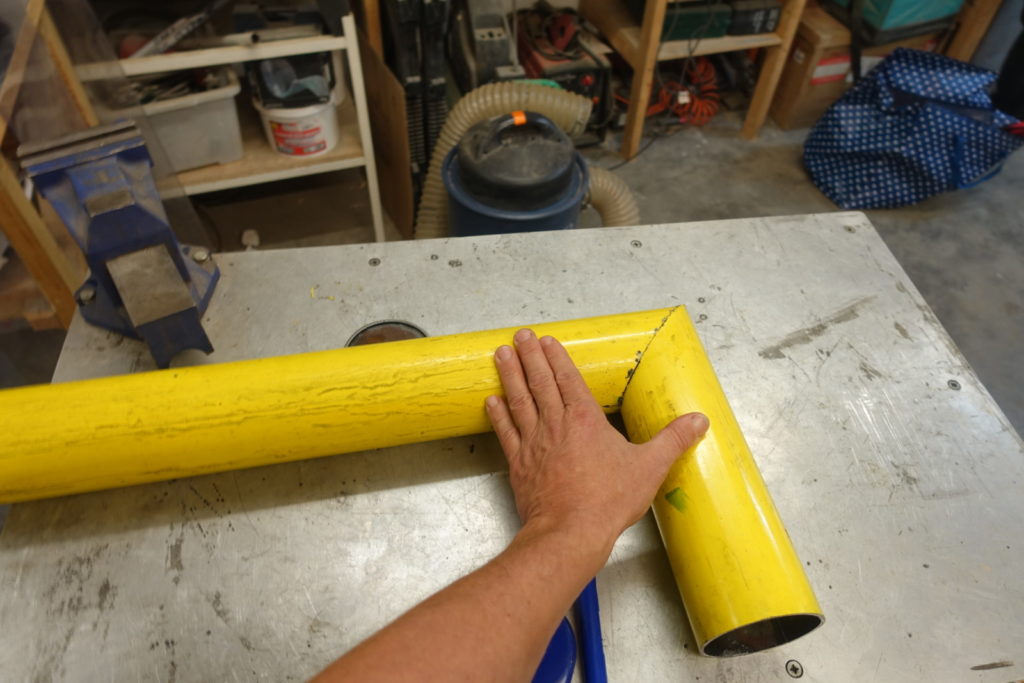
With the cut done, we straight cut the other end of the tube, giving us the perfect right angle arrangement we required!

Successful mitre!

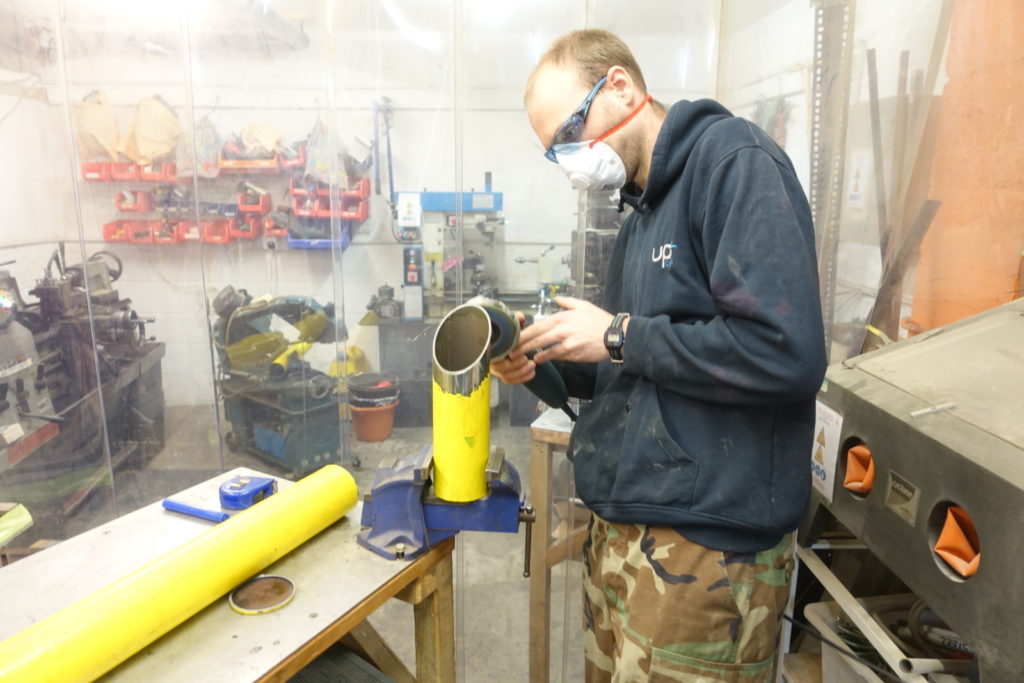
We repeated the mitre cut for the smaller stove built from the scrap, and then it was time to prep for welding. The edges of the mitre cuts were stripped of paint using a flap disk in the angle grinder, to a distance of about 40-50mm from the cut. This gives a clean, uncontaminated surface to weld together, and also stops the paint from burning – this yellow paint produces horrible noxious yellow fumes when it burns!

Stripping the paint with the grinder

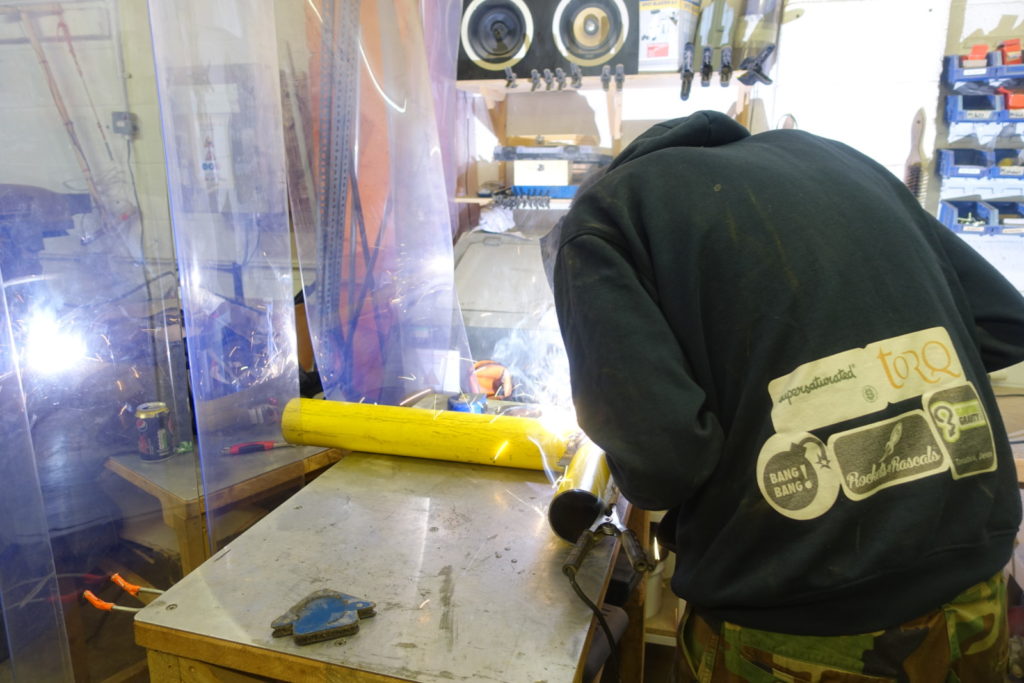
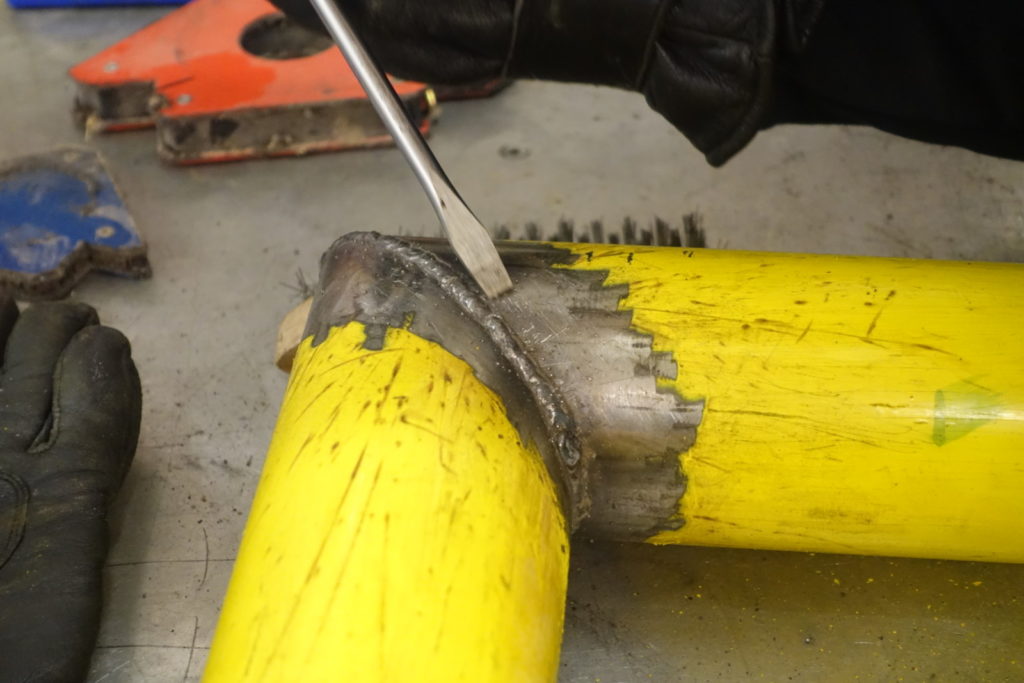
Once both tubes were stripped of paint it was time to weld. The tubes were held to the bench using a combination of clamps and magnets, and tack welded to keep them together. One held together the clamps could be removed and a continuous bead welded round the join. This was made considerably easier than previous attempts as the clean cuts meant there were no gaps to fill!

Welding the continuous bead

Bead after cleaning with a wire brush, while removing splatter with a screwdriver
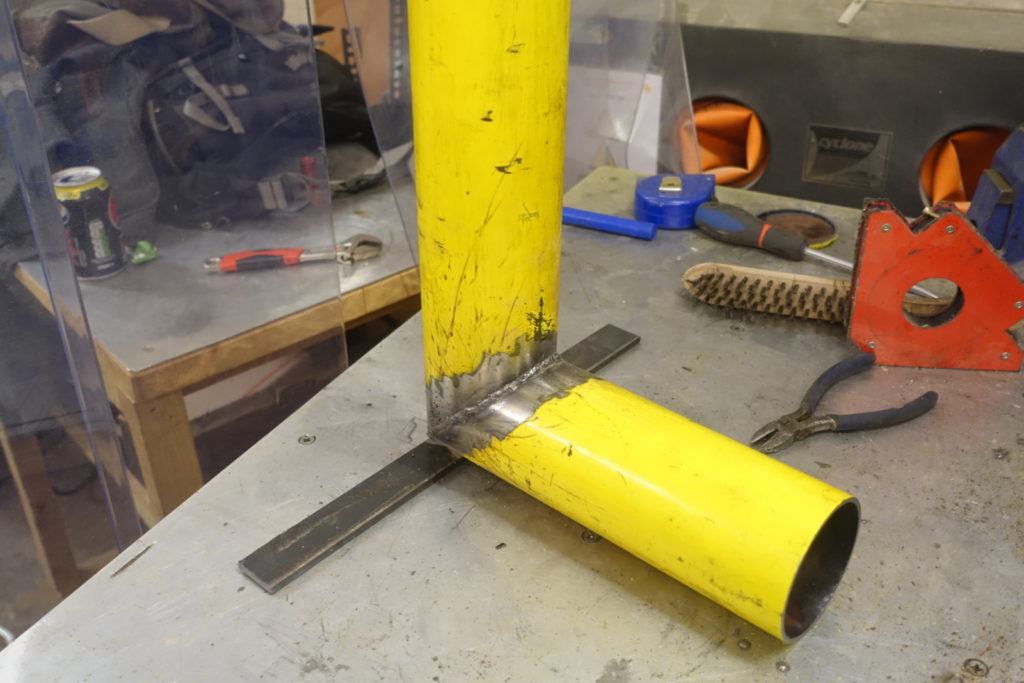
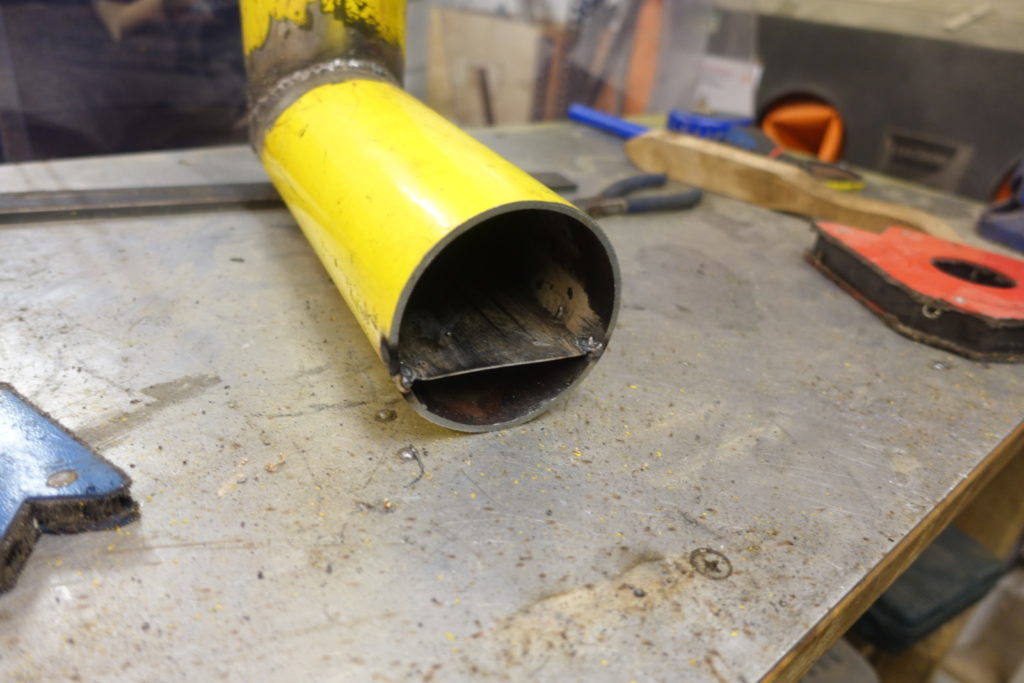
A foot was then added to the base to allow the stove to stand upright, and a tongue inside the tube. The tongue allows unrestricted airflow under the wood for a cleaner, hotter burn, which has the added effect of dramatically reducing the amount of ash produced meaning less cleaning while in use.

Foot welded to the base

Tongue welded inside the tube

With that, that’s one completed rocket stove! We repeated all the previous grinding and welding steps, and on the smaller stove added taller legs to allow it to sit off the ground – this means it can be used places where scorching the grass is frowned upon.

In use, the longer stove draws harder and runs hotter, which is expected with the longer chimney. We’re thinking about drilling holes into the shorter chimney to maybe encourage more airflow. Future plans involve finding a way to use the stoves to cook, by putting a grille to stand a pot on top and putting the stove inside a barrel filled with vermiculite, to direct the heat upwards at the pot rather than outwards.

Uncategorized

NOV 14 2018
Author: castaway Original

Member Project: Slide Hammer

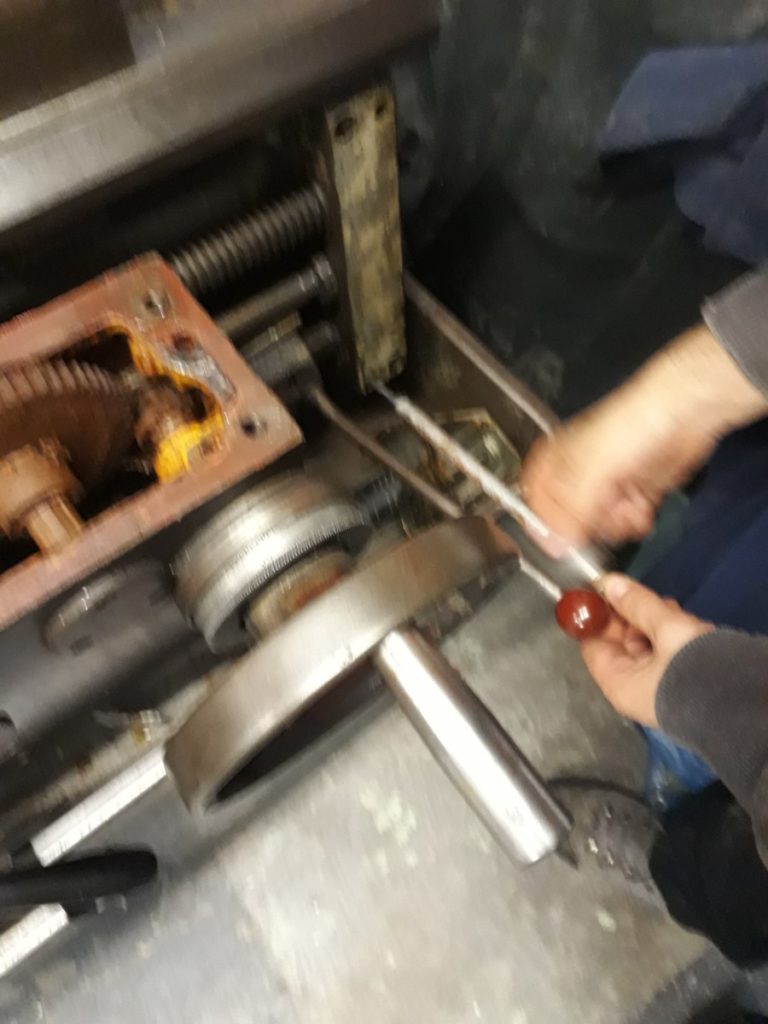
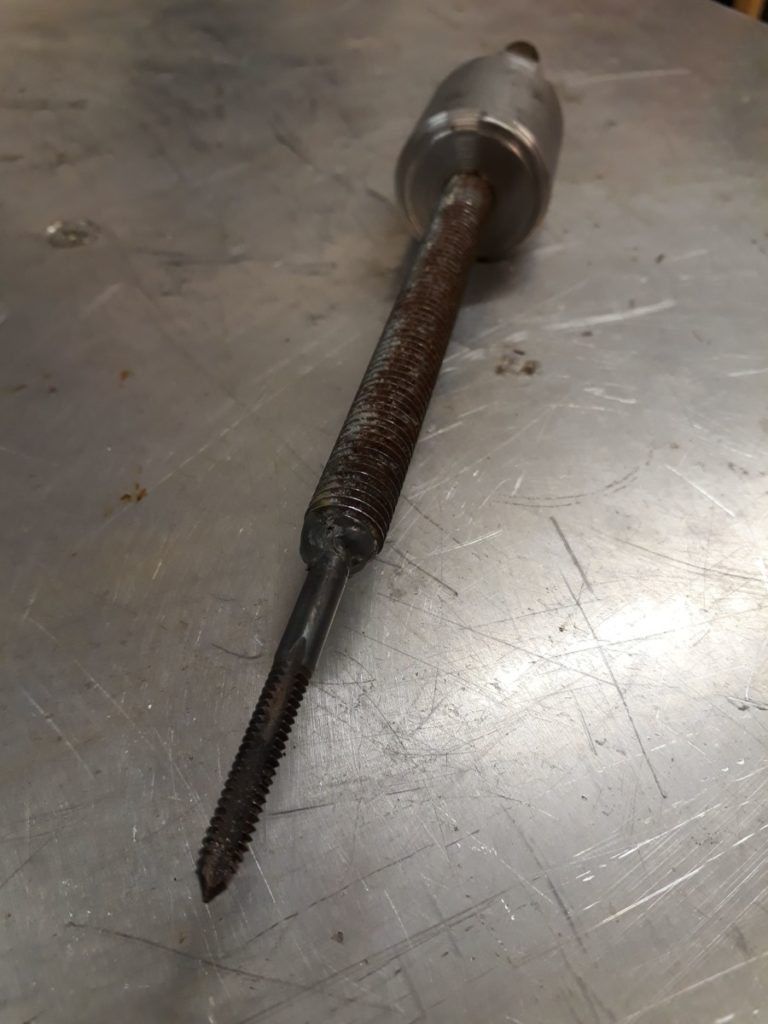
Aka: The Shiv of Self Love (The Wanky Wanky Shiv) Stats Made by: Josh and Steve Status: Finished Tools used: 3-in-1 lathe, TIG Welder Description Well it started as an oil change and before we knew it we were removing the apron from the Colchester Triumph 2000 lathe, but more on that later. In order to remove the apron we needed to take the lead screw and feed shafts off. Disconnected at the thread cutting gear box side all that was holding them in was a bracket on the right of the machine. In turn this is secured by two screws and two dowels. The screws were easy enough to remove, the dowels less so. They are an interference fit but have a thread in the centre to which it is intended to connect to and using a slide hammer pull them out. So the simple plan was to insert a bolt and pull them out, trouble was a M4 bolt was too small and a M5 had the wrong thread. Then it dawned on us, imperial. Trouble was at this point we had half disassembled the lathe and realised that we had neither an imperial bolt of the correct size, nor a slide hammer. Looks like we were going to have to MacGyver our way out of this one…
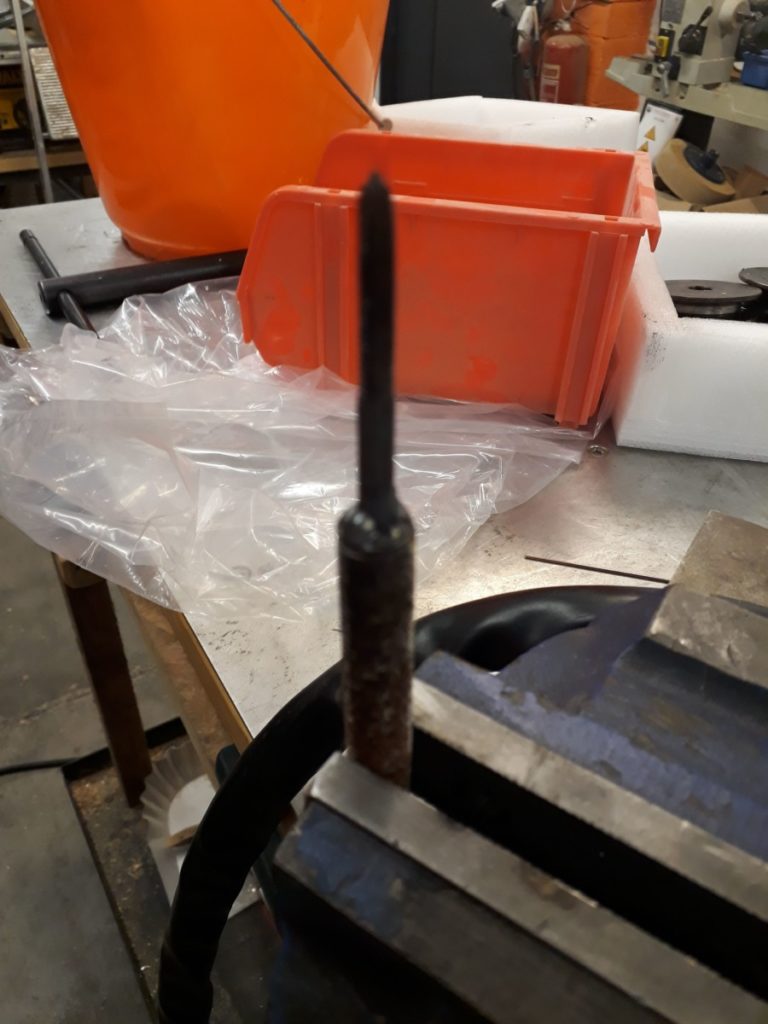
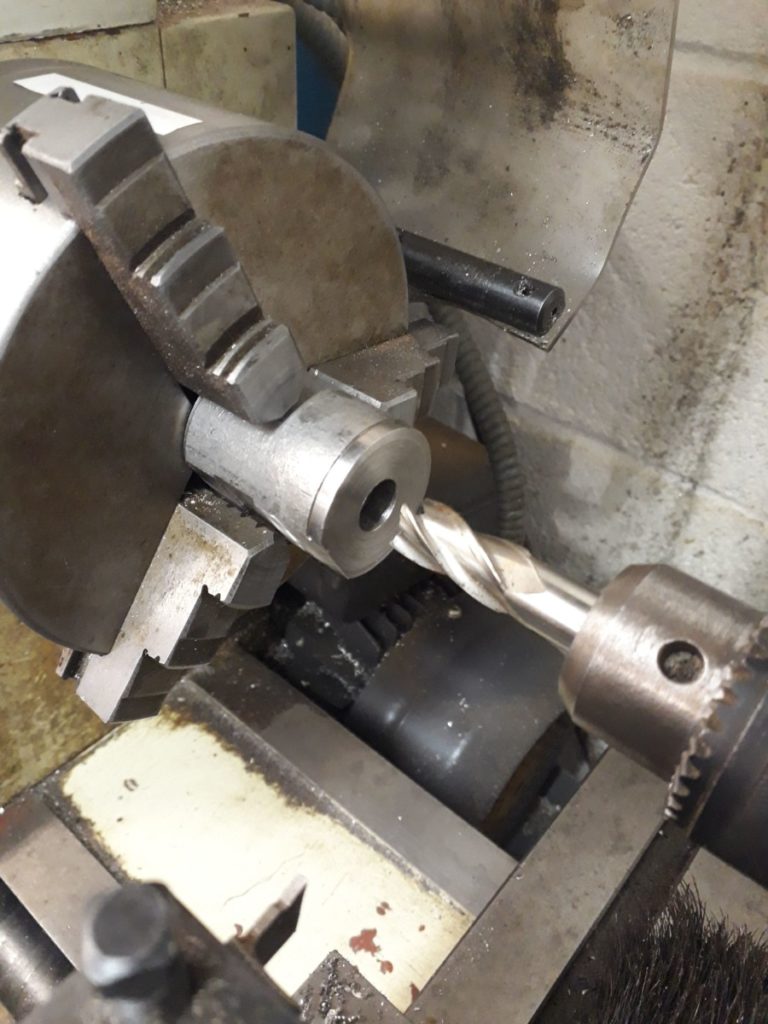
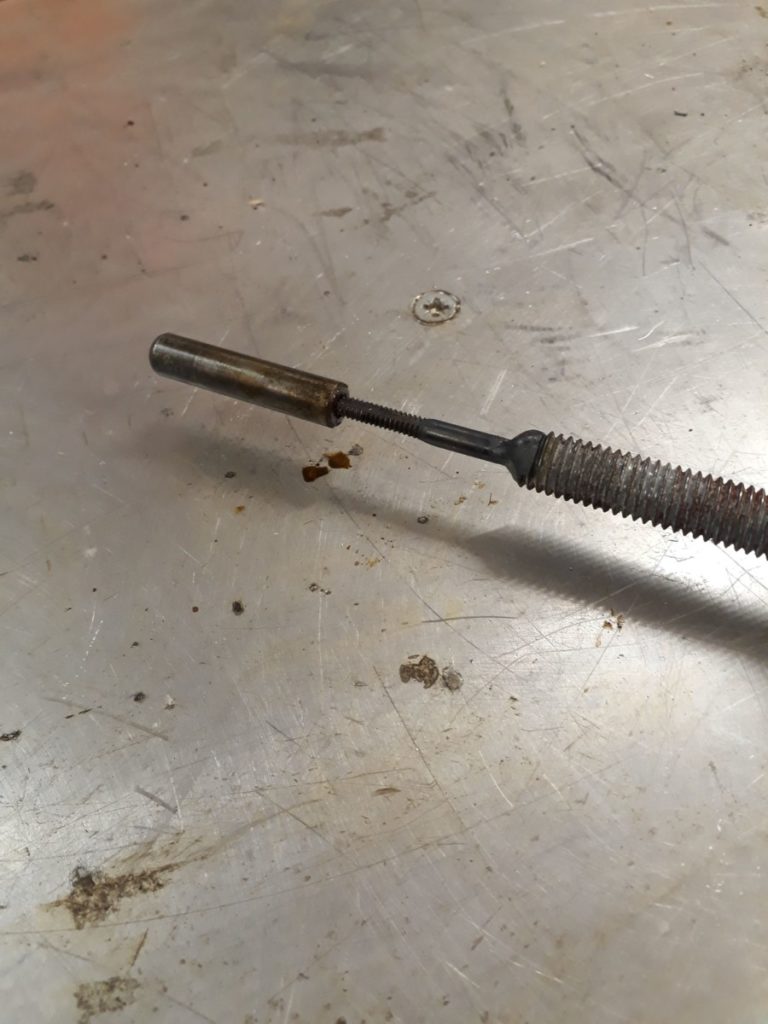
Welding the tap to the shaft

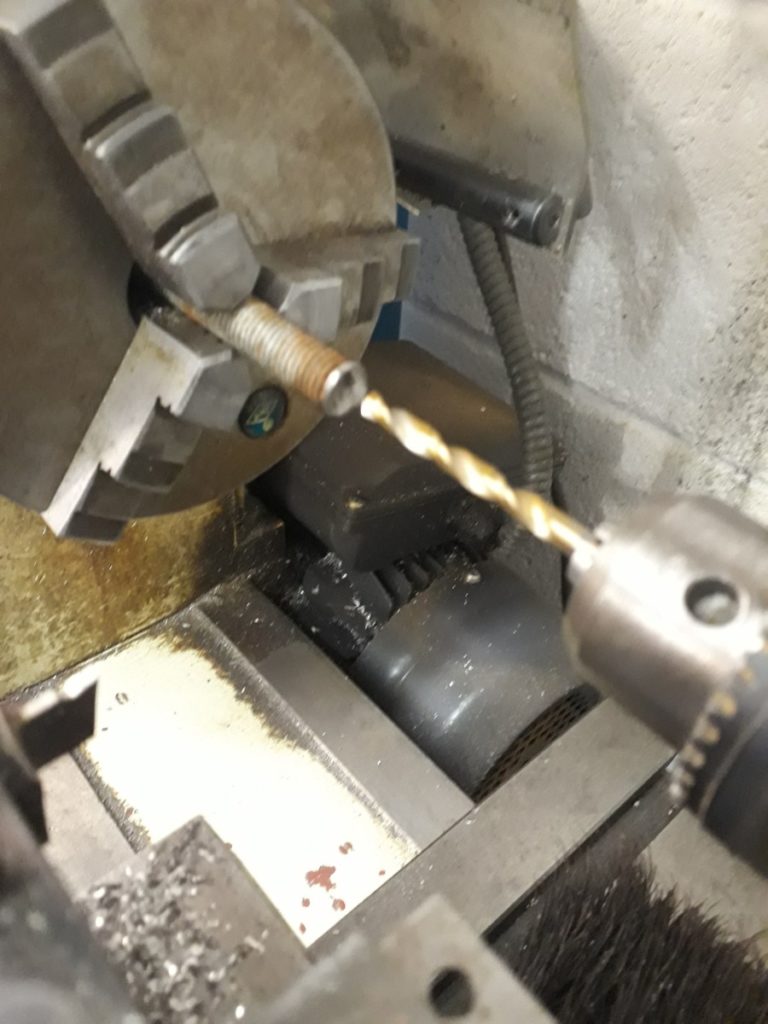
Sure enough after some trial and error we located a tap of the correct size and pitch (though we’ve forgotten to make a note of that size and we don’t have an imperial thread gauge). Now we had something to attach to the dowel we needed a slide hammer and this is where the threaded rod came into play. Manually cutting a shorter length of rod to use we took the rod to the 3-in-1 lathe and started with a centre drill before moving to a 5.5mm drill bit to 10mm depth at one end.

Drilling the bore of the side

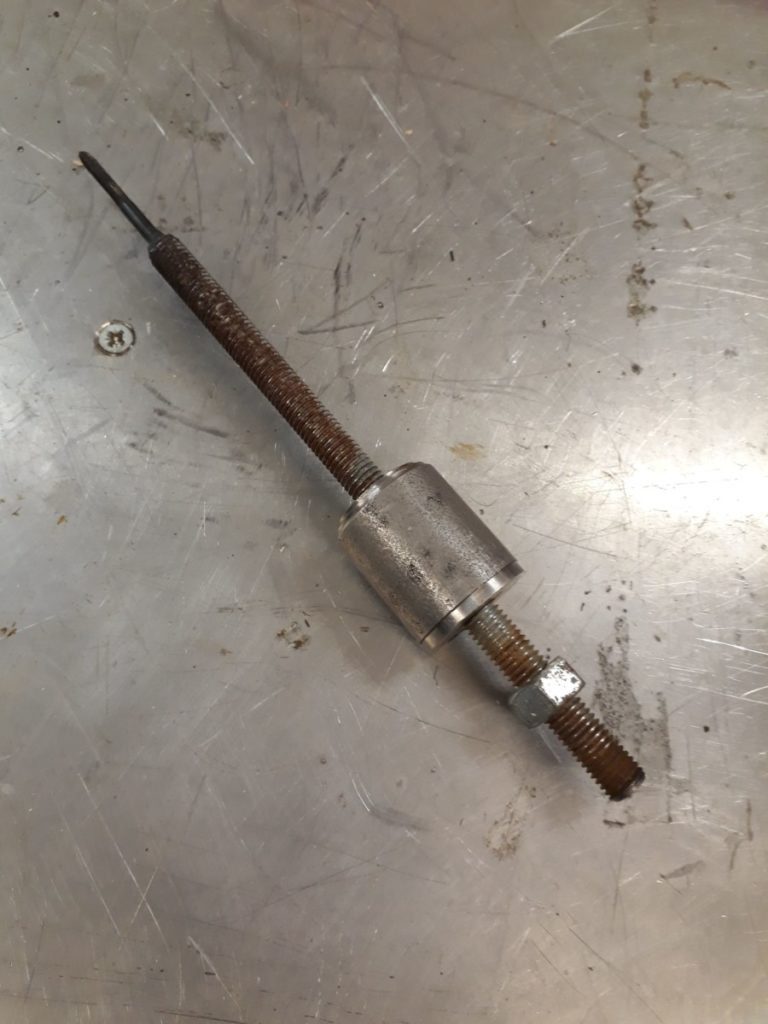
This little recess was now the correct size for the tap to sit in. But we needed to secure it so Josh broke out the TIG Welder and welded the tap to the rod. This formed the shaft of our slide hammer, and a nut was added to the non-tap end to act as the hammer stop. All we needed now was a slide.

Using the slide hammer to remove the dowels

A quick raid of the metal stock found a small steel cylinder that had already been drilled through to around 6mm. However we needed a 12mm hole and this is where we hit another problem, the biggest drill bit we could locate was 10mm. Undeterred we embiggened the hole to 10mm on the 3-in-1 lathe. And then finally using a 12mm end mill the hole was taken to the correct diameter.

The removed dowel

Our slide hammer was now complete, so back to the Colchester it was. Tap end well inserted only a few hits were needed and the dowels were free. The bracket, shafts, and apron could then be removed

The slide hammer competed

Creation of the slide hammer was fairly straight forward and was made even easier with the two of us working together, Josh on the Welder, me on the 3-in-1 lathe. However, with a little more planning we might not have ended up needing to fabricate this tool. But it was a bit of fun to do and is a tool that will live with the Colchester in case we need to remove the shafts again which I hope we don’t.

This side hammer is awesome

Projects

SEP 23 2018
Author: castaway Original

Member Project: Swingarm Bushing

Stats
  • Made By: Steve
  • Status: Finished
  • Tools used: 3-in-1 lathe, 16mm reamer, Arbour Press
Description

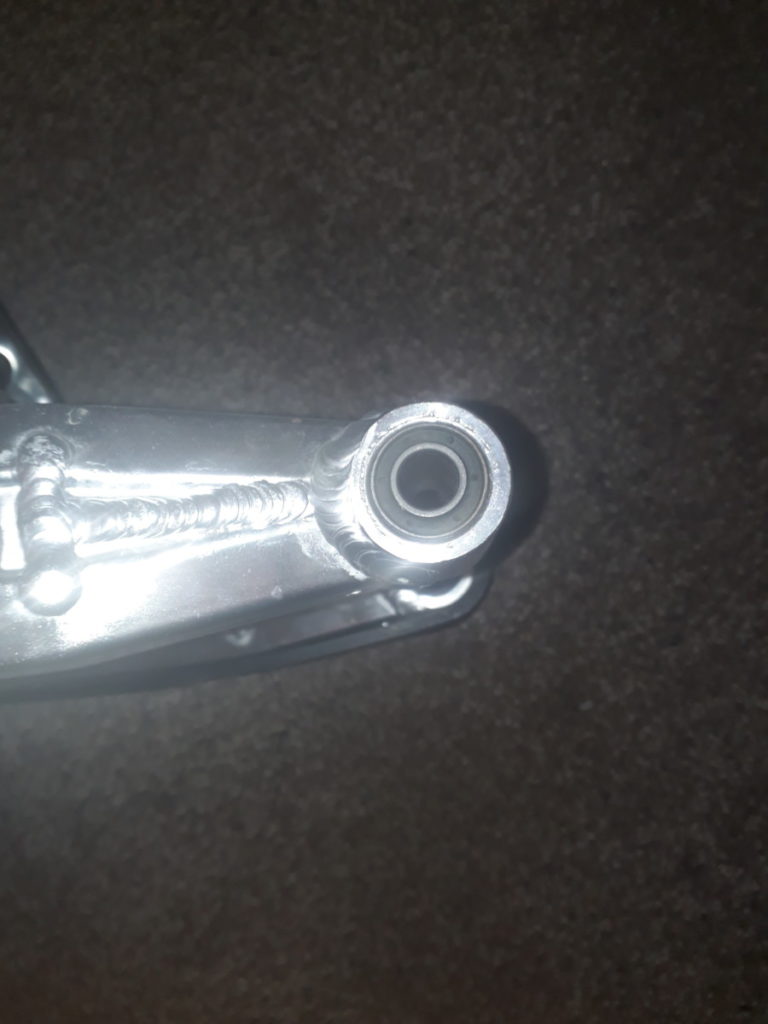
I have a Honda Grom and like any good motorcyclist I take pride in modifying my bike. This modification involves replacing the standard steel swingarm with a Tyga aluminium over braced item. This is a straight swap however I wasn’t happy with the new arm as it had like the OEM arm rubber bushing at the pivot instead of roller bearings that I would expect.

Bought replacement Swingarm

Bought replacement Swingarm

The problem here was that despite my best googlefu and the help of a local bearing suppliers I couldn’t locate a set of roller bearings at the correct size that being 12mm ID and 24mm OD by 42mm length. So having already removed the rubber bushing I decided the best solution here would be to turn some bronze bushing to size to remove the flex of the rubber bushes.

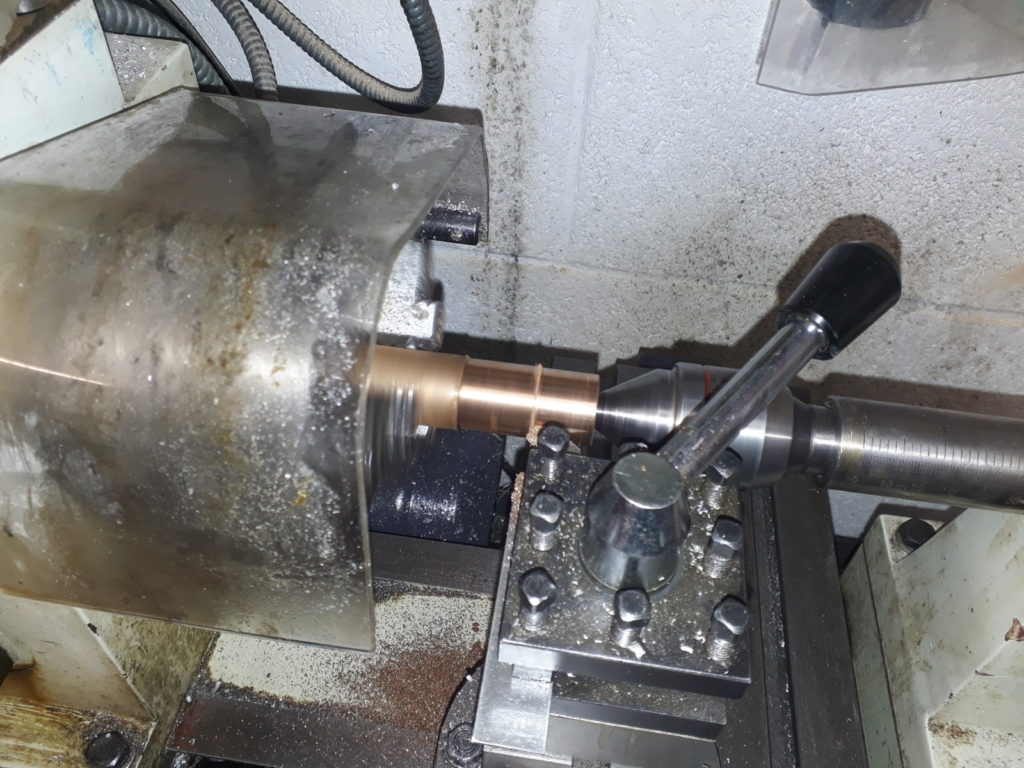
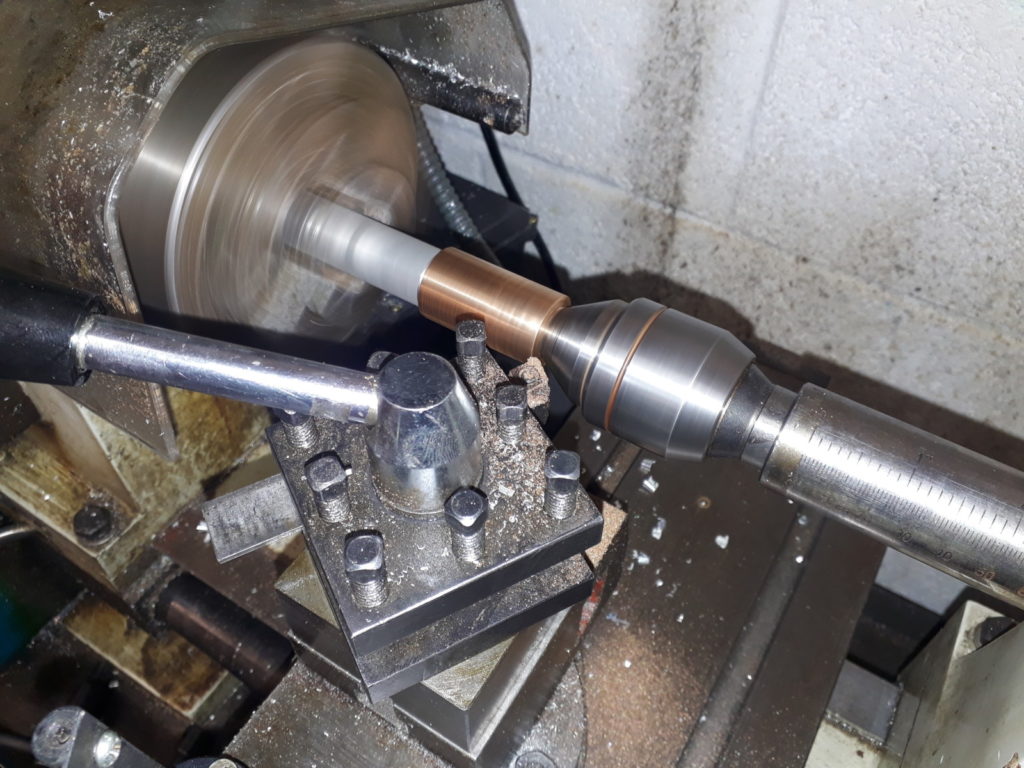
So I ordered some oilite bronze stock and headed to the 3-in-1 lathe. Checking my feeds and speeds I turned the rpms down on the lathe and set about turning the outside of the stock down to fit. With that set it was time to drill the internal diameter to 16mm to fit a pair of needle roller bearing internal sleeves.

Bronze stock on the 3-in-1 Lathe

Bronze stock on the 3-in-1 Lathe

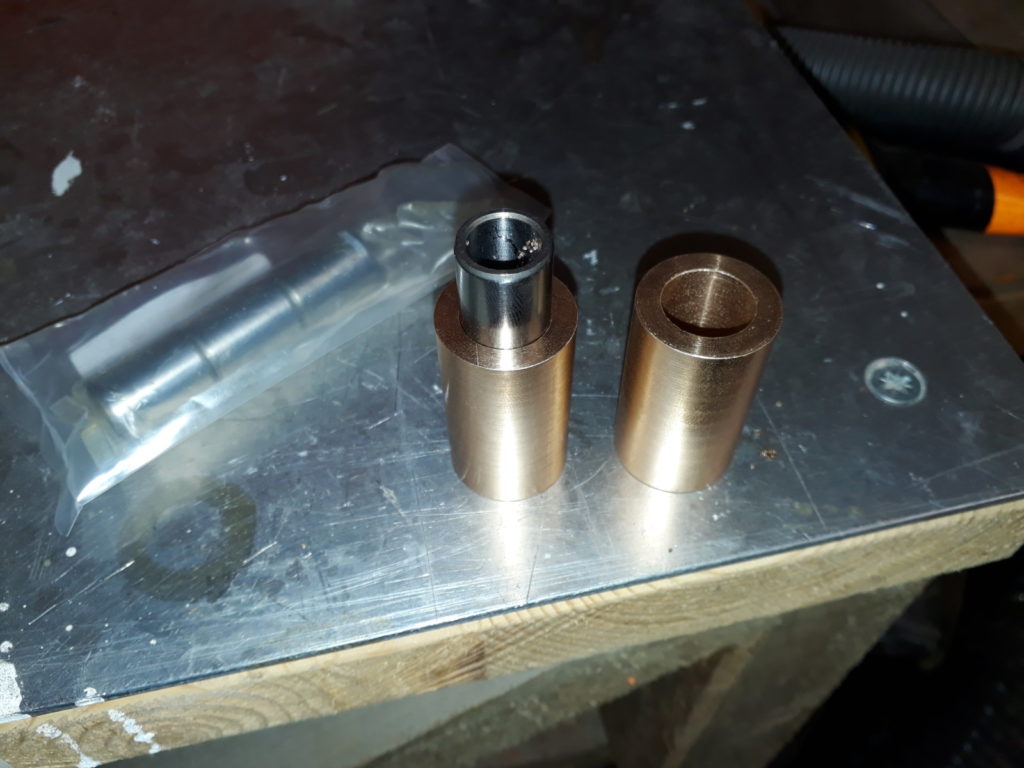
And this is where I made a mistake. Drilling the centre out to 16mm resulted in the internal sleeve simply slipping through the hole. Turns out twist drills are not that accurate. So I started again, this time drilling to 15mm and then finishing off by hand with a 16 mm reamer. The sleeve now fitted perfectly.

Two attempts to drill

Two attempts to drill

Next was to put the bush into the swing arm where by I found the next problem. While one hole was 24mm the other was around 23.5mm so was to big to fit. I solved this by putting the bush back into the lathe held by a live end in the tail stock and dead end in the chuck to enable me to hold the part while being able to work the length of the piece.

Retry on the diameter

Retry on the diameter

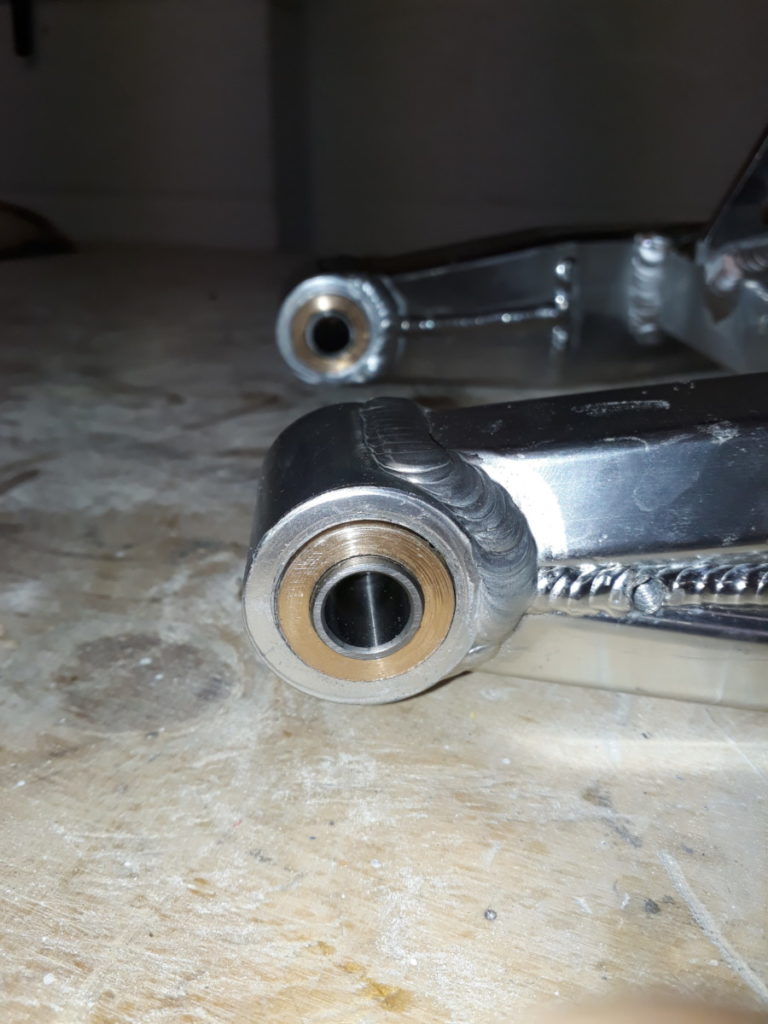
Finally with both bushes the right diameter I used the Arbour press to insert them securly into the arm and then fitted the arm to the bike.

Bushes inserted into Swingarm

Bushes inserted into Swingarm

These were made in a few hours over the course of a couple of visits to the space. I could have completed this in one evening if I didn’t have to wait for my new reamer to arrive.


Projects

AUG 23 2018
Author: Joe_ Original

Member Project: Treasure Chest

Stats
  • Made by: Joe
  • Status: Finished
  • Tools used: Thicknesser/planer, table saw, vertical bandsaw, mitre saw, electric planer, belt sander, electric drill.
Description

I’ve been keeping my toiletries in a plastic basket that I got at university, despite the fact the basket was way too small and things kept falling through the bottom. After having made a large treasure chest to keep my sheets and blankets in, I decided to take a second attempt at treasure chests and make a smaller, better constructed one from nicer wood.

I started with an interesting looking pallet that I found at work. It was stamped (always check your pallet stamps to make sure it’s safe to use!) as being from Germany, and I believe the wood to be birch or poplar (but I’m no expert). I kept the pallet in my garage for three months to acclimatise it to being indoors and avoid shrinkage.

To prepare the wood I broke the pallet down into planks, and knocked out the nails. Some of the planks split or were discovered to have splits during this process, so I filled the splits with glue and clamped the wood together. Once the glue was dry enough to work with, I ran all the wood through the thickness planer in batches, to expose clean grain on the top and bottom of the wood, and create planks of uniform thickness with parallel faces. I then used the table saw to cut the rough sides down, again in batches to keep the width uniform. After this I used the mitre saw to cut down the ends, and leave me with planks that looked like I’d bought them! (Apart from the nail holes.)

Once I had my wood together, I did a quick sketch on the whiteboard to work out how big my chest could be. I settled on the longest edge being the length of half a plank, which gave me a width of roughly 420mm, a depth of three plank widths (plus two plank thicknesses), or 230mm, and a height for the lower section of 100mm (1.5 plank-widths). This turned out to be perfect, leaving me only a couple of small scraps when finished!

Eager to start actually building the treasure chest, I started on the base. I cut three sections of plank, glued the edges, and clamped them to a workbench with quick release clamps to keep it all square. I screwed some scraps of wood to the planks so that I could remove the clamps and continue working while it was held together. I then cut the front, back and sides, carefully gluing along the plank edges. Using an engineer’s square to keep everything aligned, I tacked the pieces together with some brad nails and a small hammer. I then had a base.

The lid required a curved shape. I got this by bending a piece of wire into the shape I wanted, and taping it to a plank. I then drew the shape onto the plank, and cut another identical plank. These were screwed together, cut along the line with the bandsaw, and smoothed by clamping the pieces in the vice and using the belt sander. I removed the screws, cut a plank in half and connected it to the front and back of each curved side piece, giving me the frame for the lid.

The curved top to the lid was created by first interlocking planks in a Roman arch style. I did this using the table saw’s angle cut function and an electronic angle finder. Each plank I fitted I cut to the correct angle to mate with the next plank, making sure that no part of the plank was below the contour of the curved sides. This worked well until the last plank, which needed a little bit of trial end error to get it to fit in as a “keystone”. Once all the planks were cut, I marked their positions, glued the edges, and tacked them into place from each end. This gave me a very lumpy looking lid with rounded ends. I used the rounded ends as a guide, and cut off all the protruding wood using the hand planer, before smoothing it with the belt sander and finally with sandpaper by hand.

At this point I returned to the base, glue now dried, and sanded down the edges with the belt sander, ensuring the external dimensions matched that of the lid – some back and forth was required as I removed imperfections. Once everything was smooth, I fitted a section of piano hinge with small wood screws, and oiled the wood using cooking oil – this works fine as long as you don’t get the wood wet, and means you can avoid buying oil just for wood!

The chest now sits on my chest of drawers in my bedroom. I’m not entirely happy with it – some of the split, glued planks are obvious, and the glue at the corners has gone grey where I watered it down for better penetration, but as a second attempt (and first at actually contouring the lid properly) I think I did pretty well – there are almost no gaps in the lid, looking almost like a complete, sculpted piece of wood. All in all it took me a couple of hours one evening to process the wood, and another evening to build the chest. I could have done it all in one evening, but I was working on other things at the same time and kept getting distracted! And of course, the cost was virtually free – the only thing I bought was the piano hinge, and I used roughly 1/4 of a £10 hinge.

Projects, Makerspace, wood, woodwork, workshop

AUG 16 2018
Author: castaway Original

Member Project: Dog food and water table

Stats
  • Made by: Jess
  • Status: Finished
  • Tools used: Mitre Saw, Powered Screwdriver, Trepanning Tool (new!), Polyurethane spray varnish

Description

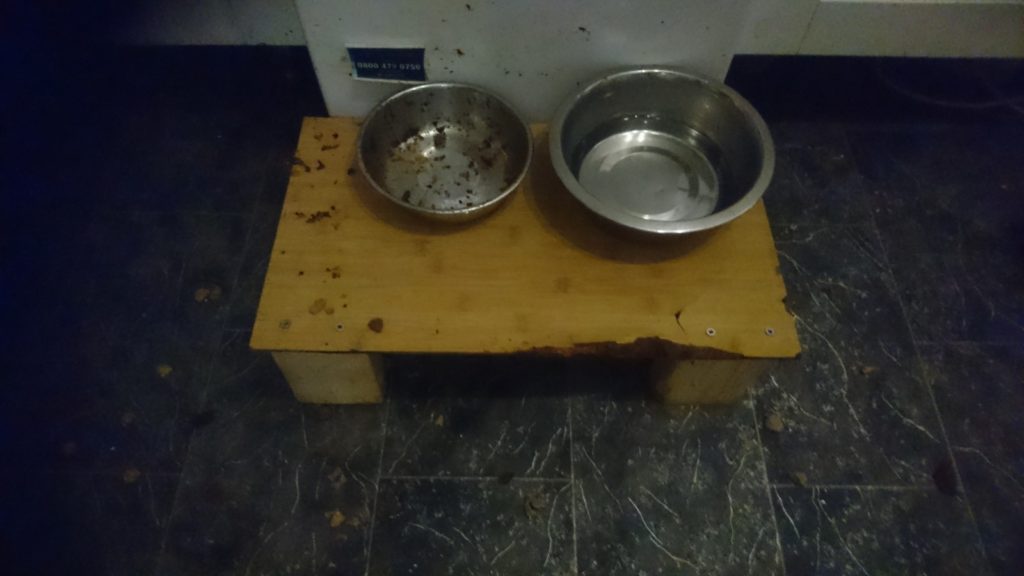
My old dog is getting a bit unsteady, and often ends up sitting on her food and water bowls. The existing tray (which I added legs to a while ago) has gotten all soggy, and lost its bordering edge, so the water bowl ends up all over the floor.

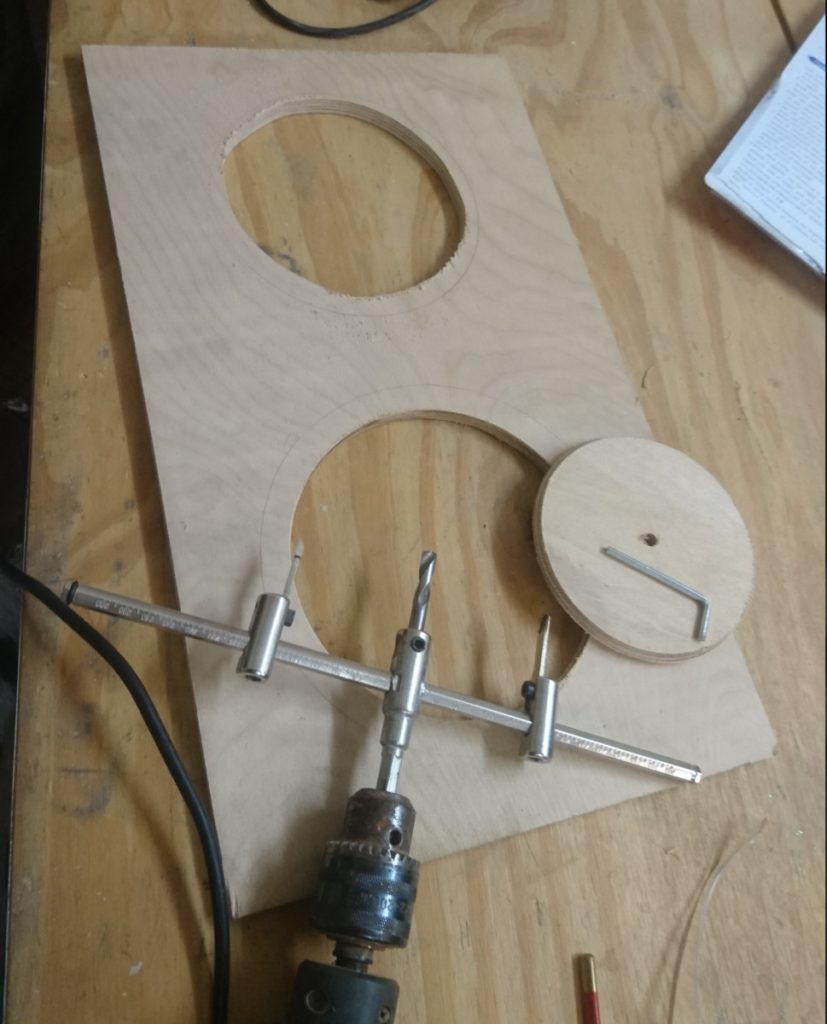
The replacement needed to be more waterproof, taller, and keep the bowls in place, even when lent or sat on. I decided to cut circles out of the new top to sit the bowls in, and spray the whole thing with a waterproof varnish.

Trepanning Tool and holes in board

Trepanning Tool

The whole thing is made out of scrap wood from the Makerspace wood store. To make the circles I added a new tool to the space, a Trepanning Tool, which is attached to a powered drill and cuts a hole using two extra blades. It looks quite scary when spinning and takes a while to cut through the 6mm plywood. (Josh helped with this bit!)

The rest is assembled with legs cut to size and screwed together. The spray was the applied, which was dryish in an hour, and dry 24hours later.

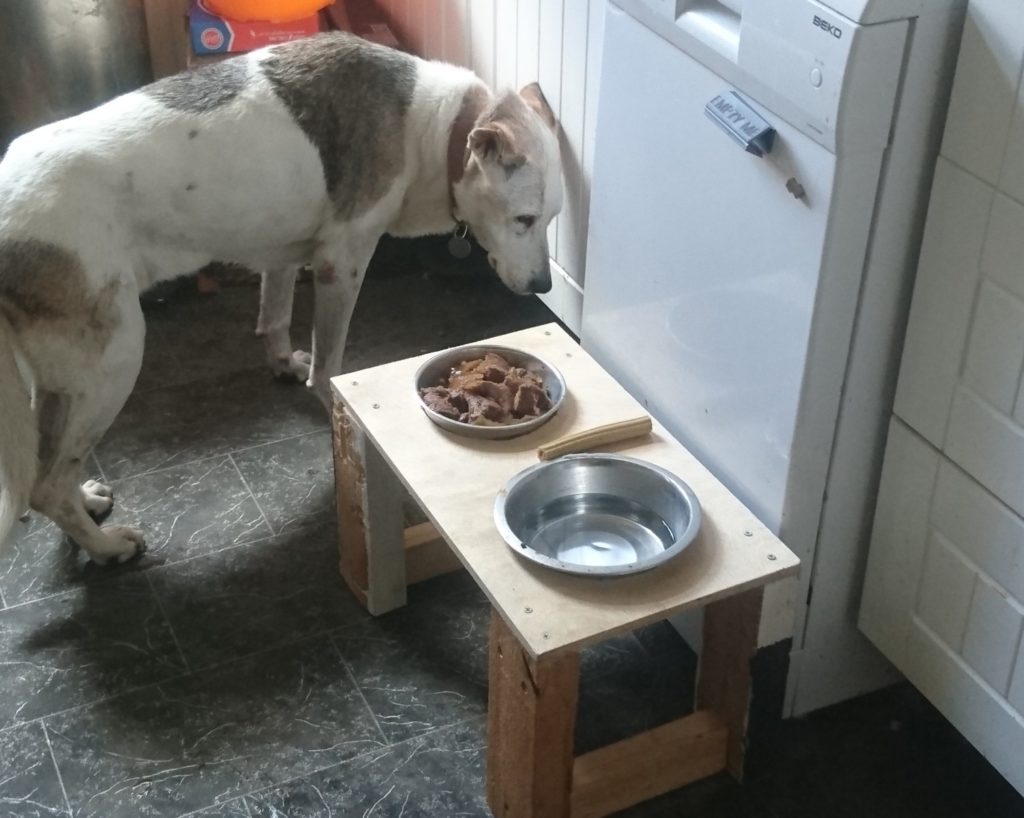
So far it seems to be working, the doggo has only managed to slop some water, and not dump the whole thing on the floor.


Dog food and water table

Dog food and water table

This took me a couple of visits to the space, could probably have been done in one if I didn’t keep getting distracted. Some folks helped me out, which was good motivation. Now I don’t have to keep mopping the kitchen floor!


Projects, howto, member, tools

MAR 24 2017
Author: RobertCL Original

Making an OpenLog Serial Logger from Spare Parts

Part of our makerspace access system involves an Arduino and an ESP8266. Mostly it works just fine, but every now and again the Arudino seems to lock up and stop working. Various attempts have been made to stop this happening, but so far to no avail. Leaving a laptop connected to the Arduino’s serial port for debugging wasn’t happening because it happens quite infrequently and no-one had a spare laptop to leave lying around.

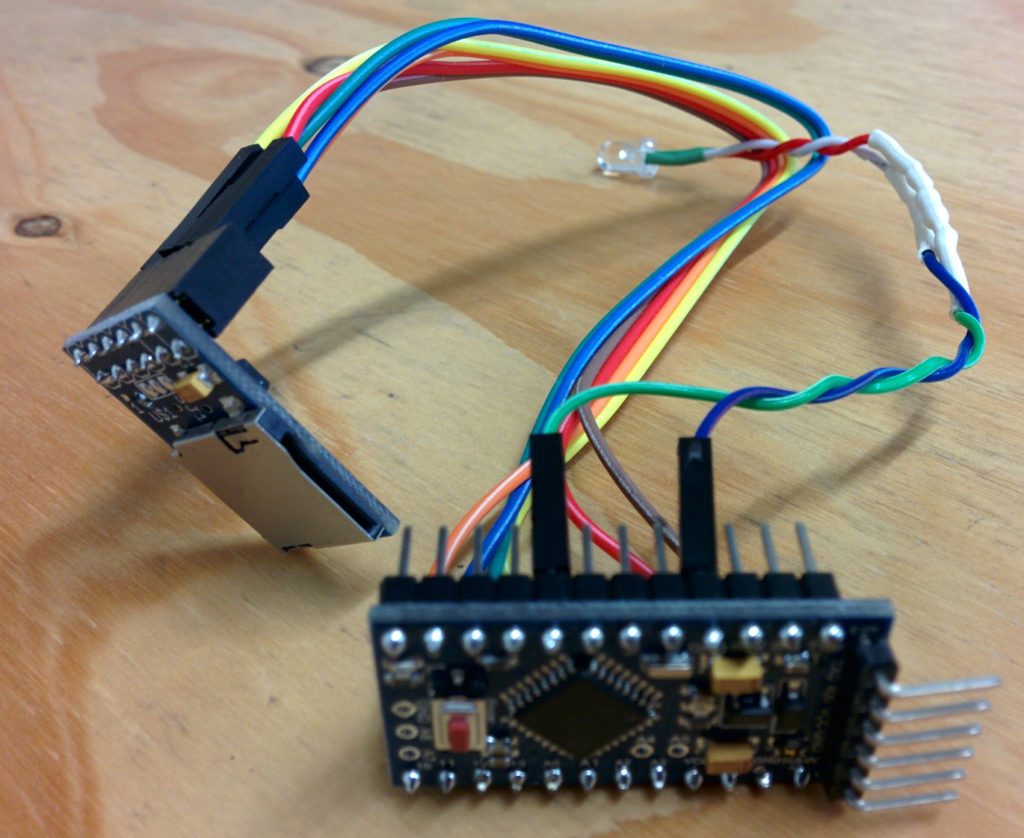
Enter the OpenLog! You can buy OpenLog boards for just over £10 (less if you are willing to pay the China-wait-for-delivery-tarrif) but where’s the fun in that? I remembered that I had an SD card reader breakout board languishing unused in a drawer (it came with my 3d printer kit and I’ve never gotten round to fitting it). And who doesn’t have some random Arduino boards lying around? It should be simple to make one right? right?

Nothing is ever quite so simple….

The Hardware

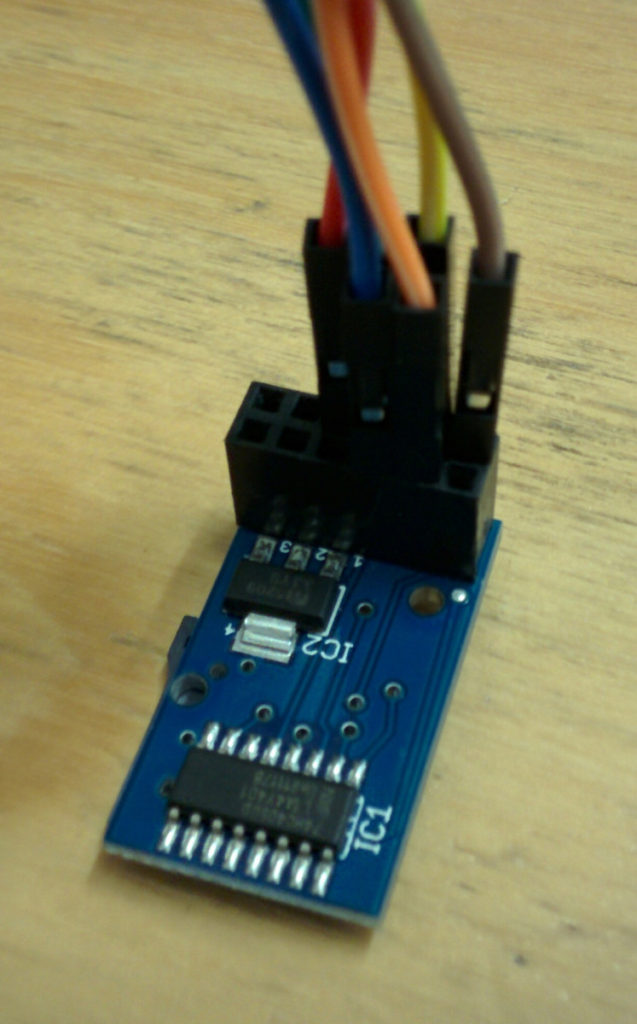
My first thought was that I’d need a 3.3V Arduino, because SD cards all run on 3.3V. Of course the Pro-Minis that I had were 5V; curses! Okay so I’ll need a level shifter as well but at least I have those. But wait! This SD card reader module is designed to connect to a RAMPS board that’s on an Arduino Mega and those things run at 5V…. On closer inspection the SD card reader module has a 74hc4050d IC on board, a quick bit of googling reveals that is a level shifter. Good, so I can use the 5V Pro Mini I have and the SD card reader module, but no need for another little board with a level shifter on.

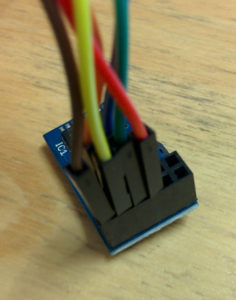
IC1 is the level-shifter

Next problem, none of the pins on the SD card reader module are labelled! I could check the RAMPS pinout, but that’s somewhat confusing because the connector on the RAMPS has 8 pins and my module has 12. After a lot of scrolling through Google images I finally found one that looks to be the same and has the pinout at this link, so it’s an HCMODU0044.

Time to do some spaghetti wiring. Connect GND and 5V to, er, GND and 5V on the Pro Mini. Connect up SCK, SO and SI from the card reader to SCK (pin 13), MISO (pin 12) and MOSI (pin 11) on the Pro Mini. CS, what to do with that? Reading the main OpenLog sketch from their github repo, there is a handy define that SD_CHIP_SELECT is pin 10. That’s probably CS then, makes sense using pins 10-13.

Finally take a random LED and 22ohm resistor from the makerspace electronic parts stock and connect it to the other GND and pin 5.  This will be the status LED.

The Software

My plan here was to download the code from github and flash it.  Job done.  Nope, too simple!  It seems that the latest code (at the time of writing) doesn’t actually build.  Eventually I stumbled across this page which, as well being a good overview of using OpenLog, also contains a button to “Download OpenLog Firmware Bundle” about half way down the page.

This code compiled “better” than the latest from github, but still failed.  Downloading the latest Serial Port library, as directed on the OpenLog page and I finally had a version of the code that would compile.  This was using Arduino 1.6.8, the OpenLog page indicated they were using 1.6.5, so I suspect some incompatibilities have been introduced somewhere along the way.

Testing the OpenLog board using an FTDI lead and the Arudino serial console resulted in the text I typed ending up in a file on the SD card! Hurrah!

Final Thoughts

It had taken me maybe an hour to wire up and program, but that was after a couple of failed starts and a fair bit of rummaging around on the internet beforehand.  It seems like a useful debugging tool to have in your box of tricks, I’m not sure why I’ve never bought or put one together before.  It would be nice to build it onto a little PCB to tidy up the wiring, but that’s a project for another day….

Has it helped to fix the problem with the makerspace access control system?  We don’t know yet….

Projects, Arduino